DELine enterprise AI implementation
Enterprise AI Agent Deployment Services
Put AI into everyday work without mixing data, bypassing access rules, or removing human accountability.
We support two practical paths: a work assistant for each employee, or a governed shared Agent that runs repeatable workflows across teams.
Two deployment paths for two kinds of work
Decide who the AI serves first. Tools and hosting choices come after that, and both paths can coexist.
Path A
AI for each employee
Give employees an assistant that understands their role and approved work context. It prepares information and completes permitted actions, while the employee reviews important results.
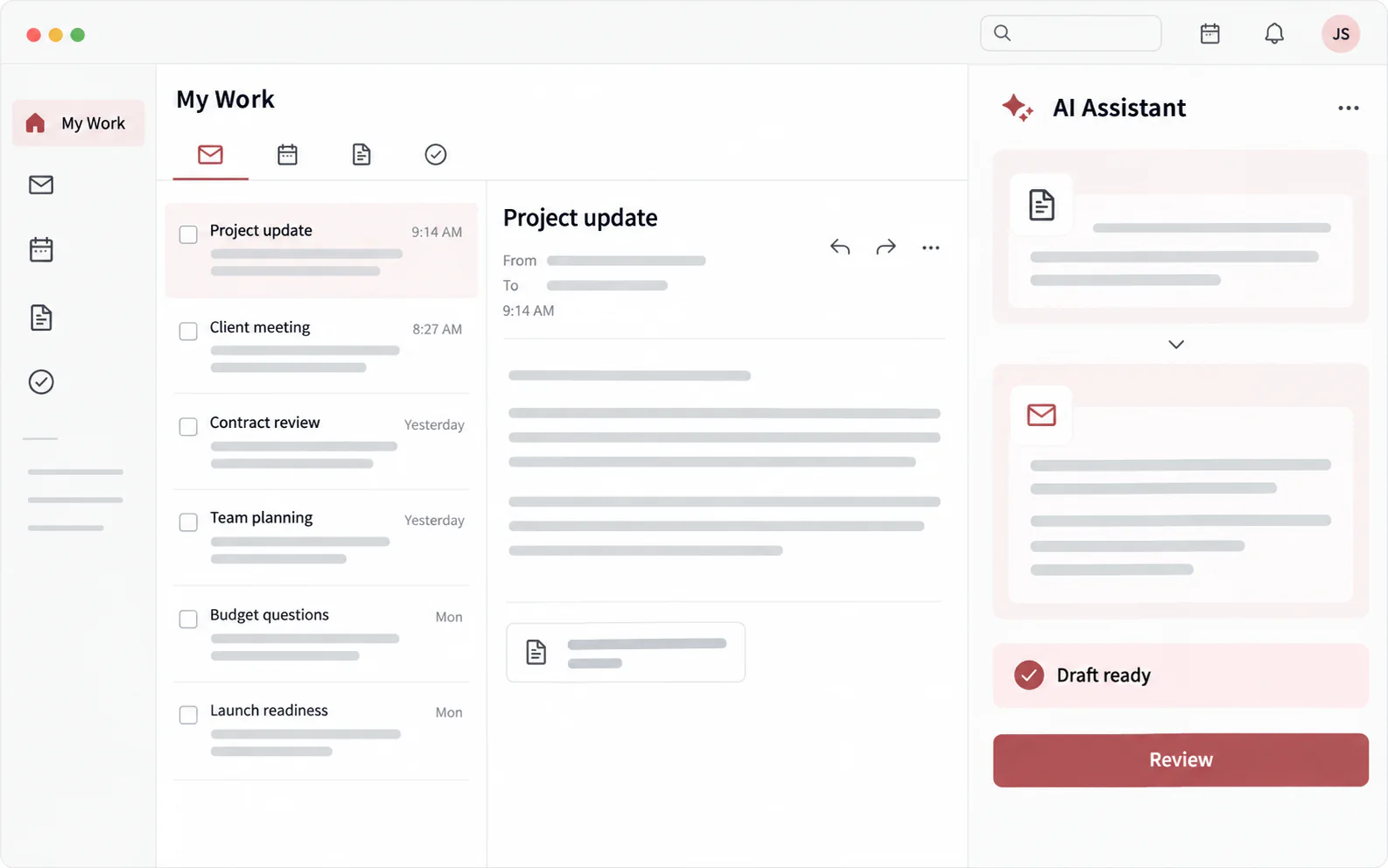
Each employee gets a personal AI workspace: AI prepares the result, while the employee reviews important content.
- Organize email, meeting notes, and next actions
- Find internal information and prepare document drafts
- Support coding, data work, and project delivery
Examples of tools we can integrate
Best for organizations that want every employee to complete work faster.
Path B
Shared AI Agents for repeatable work
Let one governed Agent receive requests from WeCom, email, Teams, or scheduled jobs, follow an agreed workflow, and use the access of the employee who requested the work.
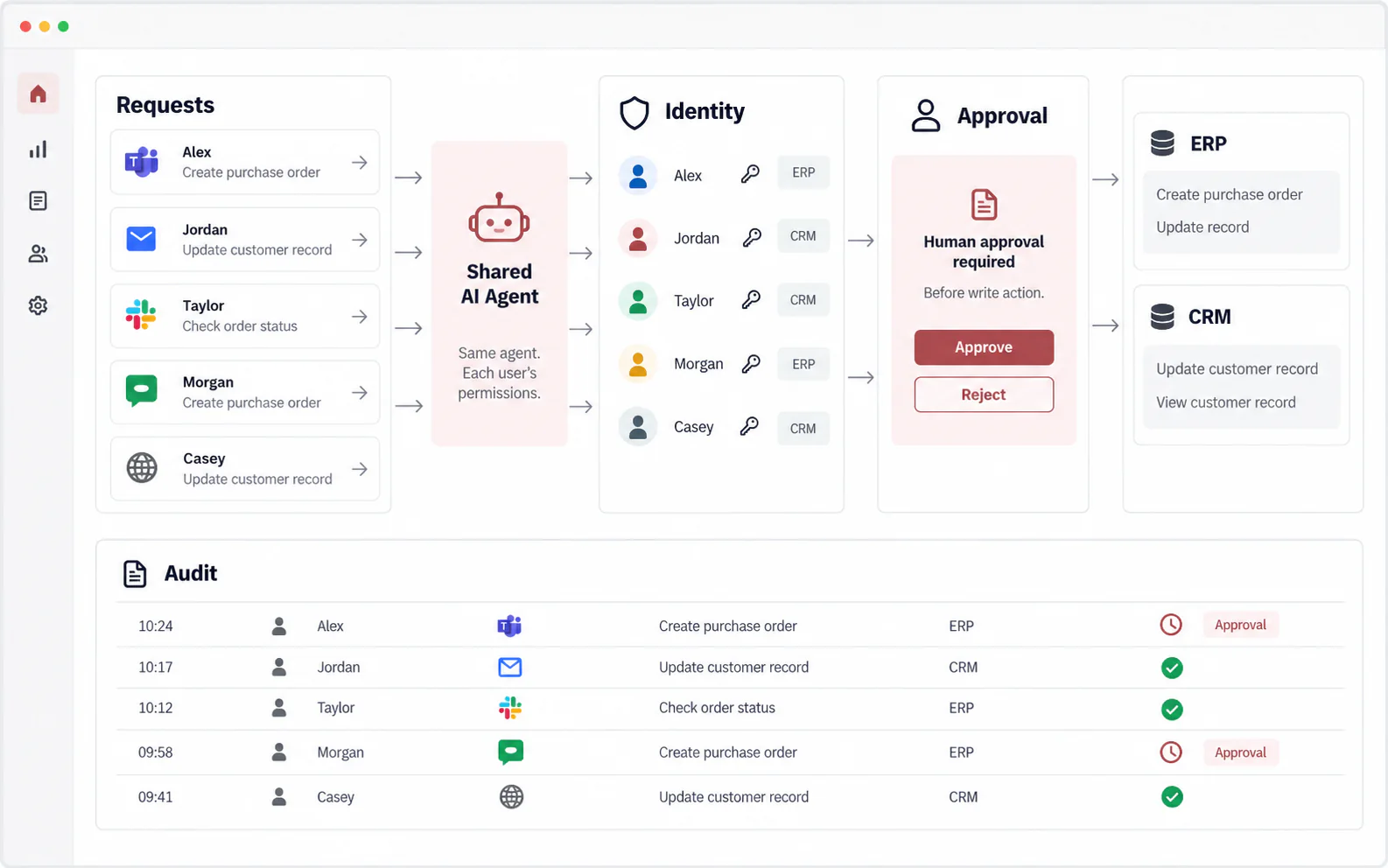
One shared Agent can serve a team, while access follows the real requester and sensitive changes still require human approval.
- Turn customer requests into quotations or business records
- Organize information, produce reports, and flag exceptions
- Work with ERP, CRM, knowledge, and document systems
Examples of platforms we can operate
Best for organizations that need one governed workflow shared across a team.
Not another chat window. Less repetitive work.
We start with a real workflow, help AI prepare useful results, connect the systems you already use, and keep important decisions accountable.
Reduce repetitive work
Let AI prepare email, documents, reports, and research so employees can focus on judgment and communication.
Miss fewer important steps
Build proven steps and review checks into the workflow so each task follows the same standard.
Keep your existing systems
Use ERP, CRM, knowledge, and document systems within existing employee permissions instead of replacing everything.
Know what happened
Record where a task came from, which tools were used, who approved it, and what result was produced.
Start with one workflow whose result can be checked
You do not need to redesign the whole company at once. Begin with frequent, time-consuming work where success is easy to measure.
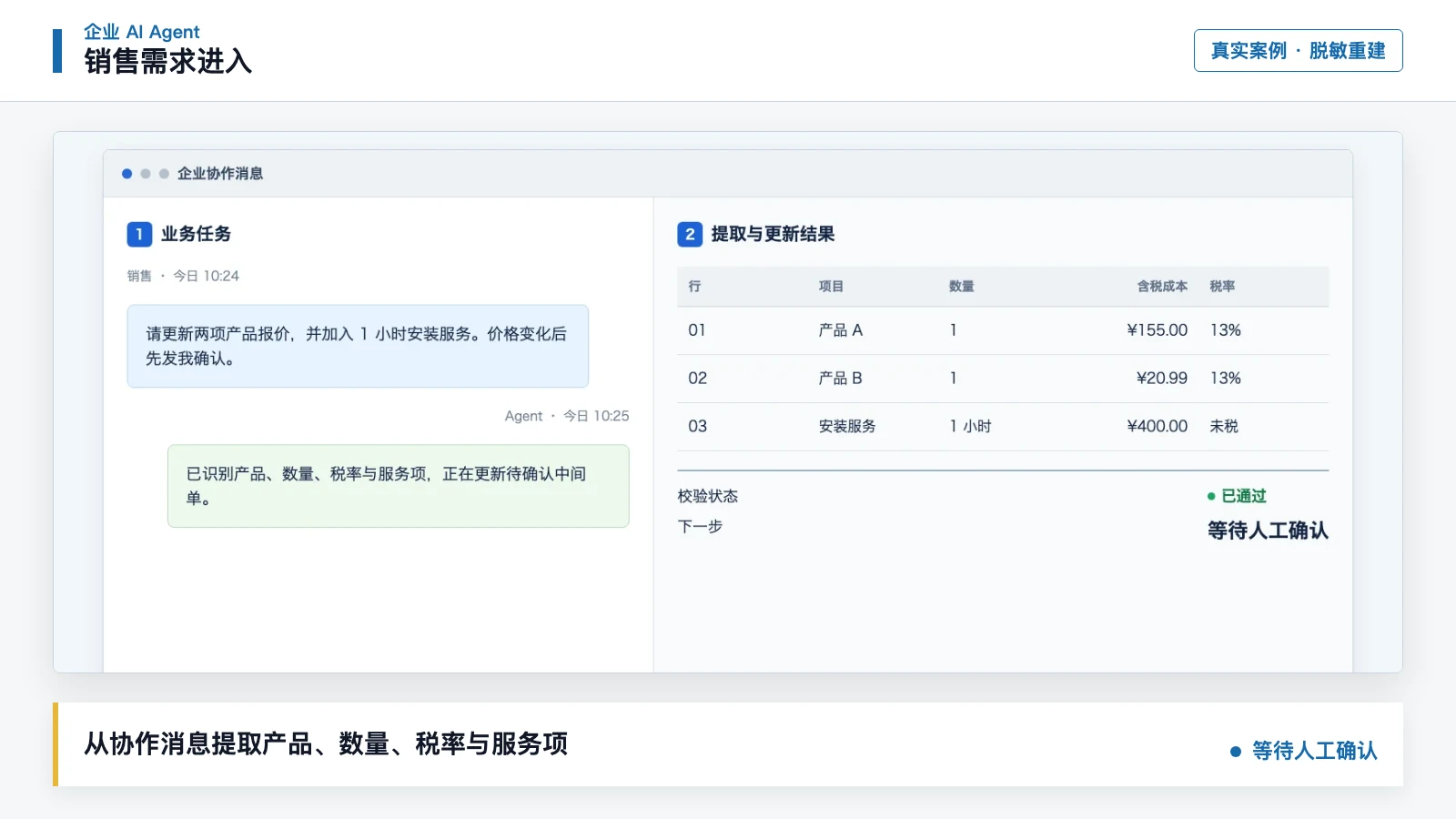
Sales and operations
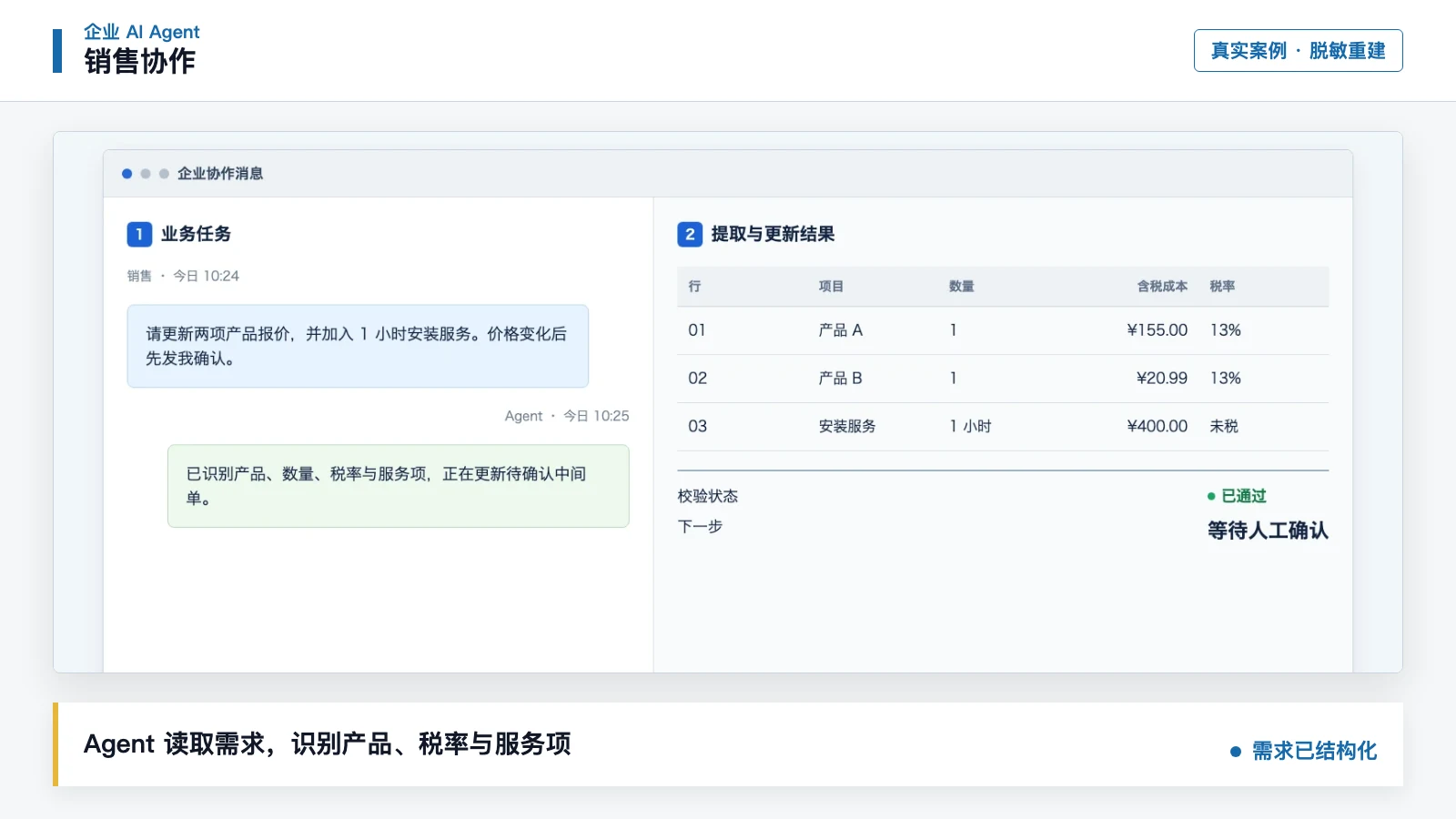
From a WeCom request to an ERP quotation
The Agent reads an employee's customer request, checks product and price information, prepares the quotation, and writes it to ERP after review.
Less copying and data entry, with a faster and more reviewable quotation process.
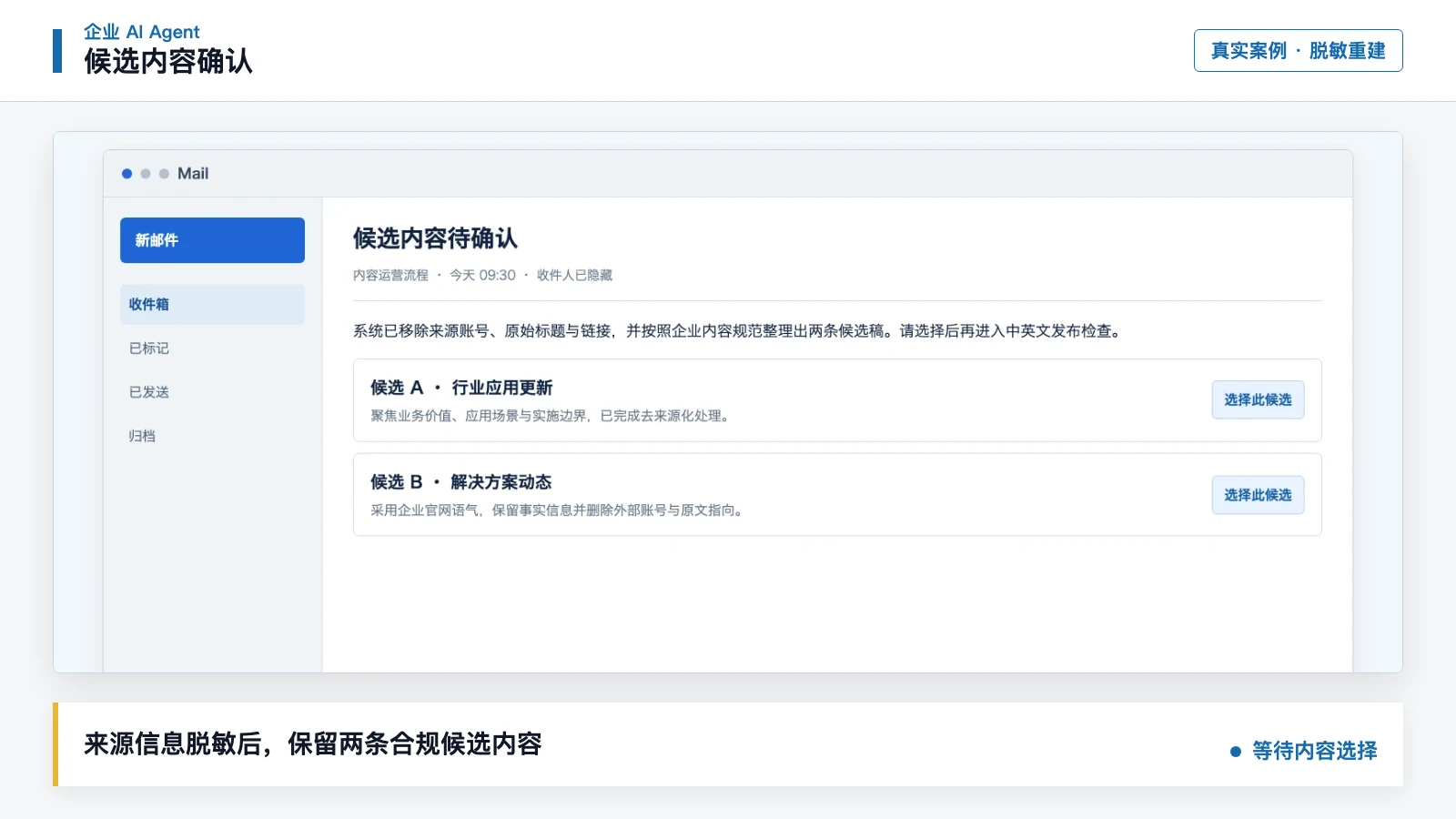
Marketing and content
From source material to a bilingual website article
The Agent organizes sources, identifies the key story, prepares Chinese and English content and visuals, and publishes only after editorial approval.
Shorter production time with source, review, and publication evidence retained.

Projects and delivery
Turn reports and manuals into usable deliverables
The Agent extracts structure and key data from reports or manuals, then prepares spreadsheets, project documents, or training materials.
Less repetitive reading and formatting, with more consistent deliverables.
AI can do work without receiving unchecked authority
DELine separates data, access, credentials, and accountability. AI works only within approved boundaries, and a person remains responsible for important outcomes.
Keep each person's data separate
Employee, customer, and project information remains in separate scopes even when people use the same shared Agent.
Do not let AI bypass access rules
If an employee cannot see certain data, the Agent cannot see it either. Read-only access does not silently become write access.
Do not give AI a master password
The Agent receives only the current employee's approved access for the time needed, not a company-wide super-account.
Keep a person responsible
Publishing, payments, deletion, production writes, and permission changes require human review and approval.
From workflow discovery to daily operations in four steps
Every stage uses real samples, a clear acceptance standard, and a named owner so the project moves beyond a demo.
Understand one real workflow
Use actual email, documents, and steps to map how the work happens today and decide what AI may handle.
A clear scope, owner, and acceptance standard.
Test with real examples
Process a small set of real examples in an isolated environment and compare the result with the current human workflow.
Evidence that the result is useful before further investment.
Connect systems and access
Connect the required systems and confirm what each employee may view, change, or submit for approval.
An end-to-end task completed inside real access boundaries.
Operate, review, and expand
Monitor success, failure, and human corrections, then reuse proven methods for additional roles.
Controlled expansion from one verified workflow.
For IT and security teams
The deployment details are available when your team needs them
Business stakeholders do not need to learn the terminology first. IT, security, and compliance teams can review identity, access, credentials, evidence, and hosting here.
Separate identity and memory
Give each employee, Agent, channel, and project its own scope so personal habits and customer context are not shared by mistake.
Options include Honcho-style identity and passphrase isolation, Mem0, or a self-hosted Memory API.
Use short-lived access for the requesting employee
The shared Agent identifies who requested the work and reaches back-end systems with that employee's existing permissions.
A credential broker maps short-lived tokens, API keys, or sessions per user.
Limit tools and actions
Each role receives only the tools and data needed for the task, with approval added to write or delete operations.
Use tool allowlists, read/write scopes, approval hooks, and least-privilege policies.
Keep evidence that can be reviewed
Task input, tool calls, approvals, output, and exceptions remain available for investigation, stopping, and rollback.
Evidence includes execution logs, scheduled-job reports, versioning, rollback, and exception stops.
Choose the right deployment location
Select the hosting model based on data sensitivity, network requirements, and the systems already in use.
Support on-premises, private-cloud, or hybrid deployment with Harness-based orchestration.
Start with one workflow
Choose valuable work with a result your team can verify
Bring a small set of real examples and the current process. We will help decide whether employee augmentation or a shared Agent fits, then define the pilot scope, access boundaries, and acceptance method.
Discuss your workflow