Coordinate Meeting Times Across Companies with Outlook Scheduling Poll
You schedule a meeting involving external clients or partners. Three emails in, you’re still guessing time slots. Your colleague is free Thursday morning, but the client said “any day except Thursday.” Another round of emails. Two days gone.
This inefficiency isn’t a communication problem — it’s a tooling problem. When participants cross company boundaries, internal calendar visibility vanishes, and coordination costs skyrocket.
The Blind Spot When Meetings Cross Company Boundaries
Inside your organization, Outlook’s shared calendar works beautifully — you open a colleague’s calendar, see their busy blocks, and lock in joint availability in minutes. But when the meeting includes external clients, partners, or vendors, that visibility stops at the firewall. You can’t peek into their calendar. You guess, you ask, they reply, you check internally, you go back to them. Round and round.
What should be a five-minute scheduling task turns into a multi-day back-and-forth.
Outlook Scheduling Poll: Let the Tool Do the Heavy Lifting
Microsoft 365’s Outlook offers an often-overlooked feature — Scheduling Poll. It’s not a simple voting widget; it’s a complete meeting-time negotiation workflow.
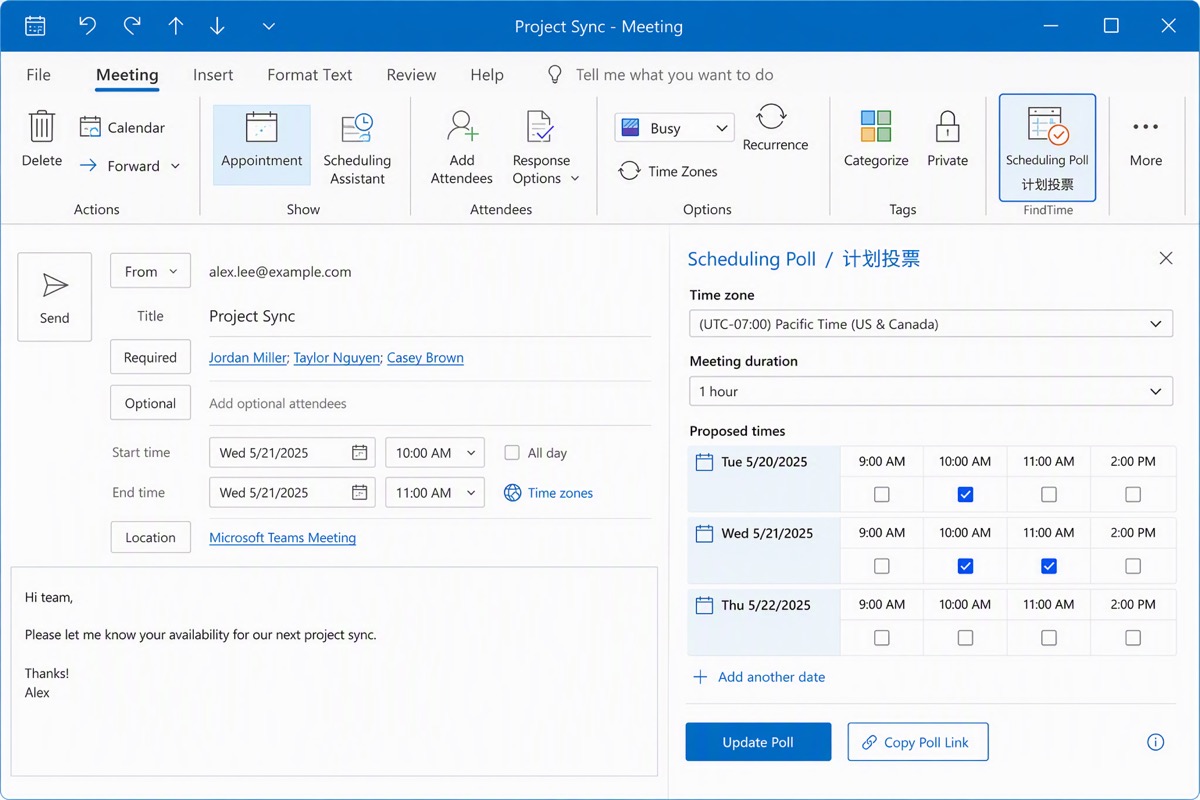
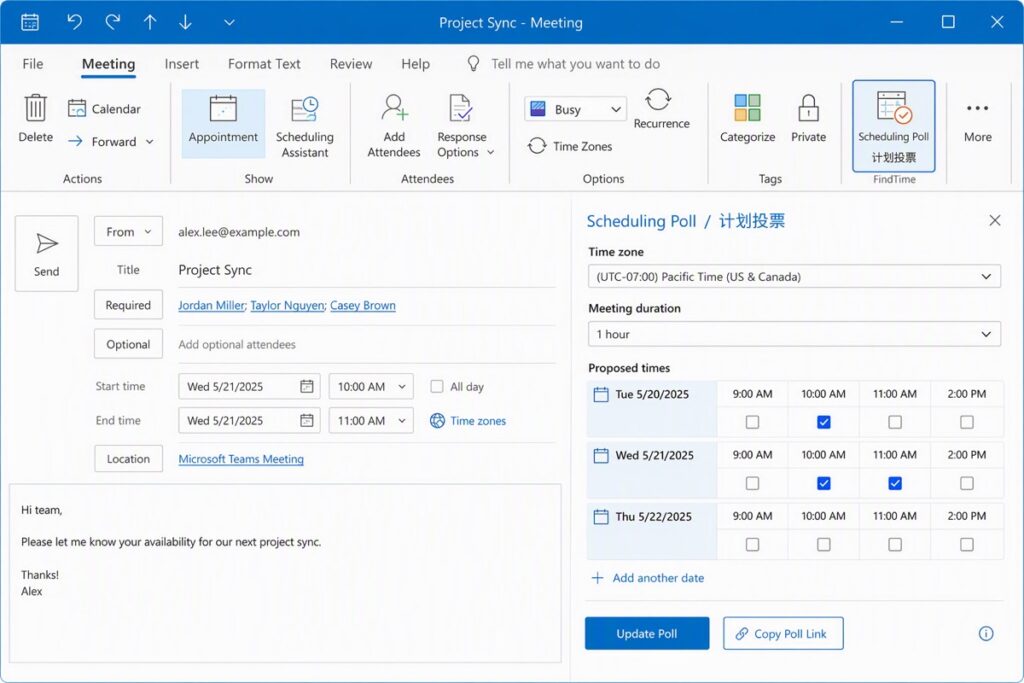
Create a new meeting invitation, add all attendees including external participants, then click Scheduling Poll in the Meeting tab. In the side panel that opens, set the time zone, meeting duration, and candidate dates. Outlook automatically cross-references your internal colleagues’ calendars and suggests time slots where they show as free. Mark your preferred options, choose Teams meeting or in-person, and create the poll.
The candidate time slots are embedded directly into the email body and sent to all participants.
The External Participant Experience: Less Friction, Faster Response
External invitees don’t need to log into anything. They click the poll link in the email and mark each slot as preferred, available, or unavailable. The whole thing works in seconds — even on mobile.
Once everyone has voted, the organizer receives a summary email. Outlook can even automatically send the formal meeting invitation based on the most-voted time slot. Zero manual reconciliation.
From “Finding a Time” to “Solving the Problem”
The real value here isn’t just saving a few clicks. It’s a shift from coordination overhead to agenda focus. When a tool handles the “when can we all meet” problem automatically, you reclaim the energy that should go into what the meeting is actually about.
For organizations that routinely work with external stakeholders — clients, partners, vendors — this isn’t a minor productivity tweak. It’s a change from a three-day negotiation cycle to a single-shot resolution.
How DELine Can Help
As a Microsoft partner, DELine helps enterprises get the most out of their Microsoft 365 investment. We don’t just deploy tools — we connect every feature to real business workflows. From Scheduling Polls and Teams meeting architecture to enterprise security compliance, Power Platform automation, and AI-powered collaboration.
If your team is looking to improve collaboration efficiency or needs a Microsoft 365 health assessment, contact DELine.
About DELine
DELine (Suzhou DELine Technology Co., Ltd.) is a Microsoft Solutions partner specializing in enterprise IT infrastructure, security compliance, and modern workplace solutions. We serve corporate and government clients with a focus on operational efficiency, security, and measurable business outcomes.