
Microsoft Warns of Cloud Storage Attacks: What Microsoft 365 Security Teams Need to Check
Microsoft has disclosed two attack campaigns that show why Microsoft 365 security cannot stop at protecting the sign-in page. Once an attacker controls an identity, the next targets may include cloud files, email, permissions and financial workflows.
The first campaign uses phone calls or messages that claim the user must update a passkey, multifactor authentication (MFA) or single sign-on (SSO) setting. The victim is directed to a fake Microsoft sign-in page, where an adversary-in-the-middle attack can capture credentials and session tokens. In another variation, attackers abuse the legitimate device-code sign-in flow and persuade the user to enter a code supplied by the attacker.
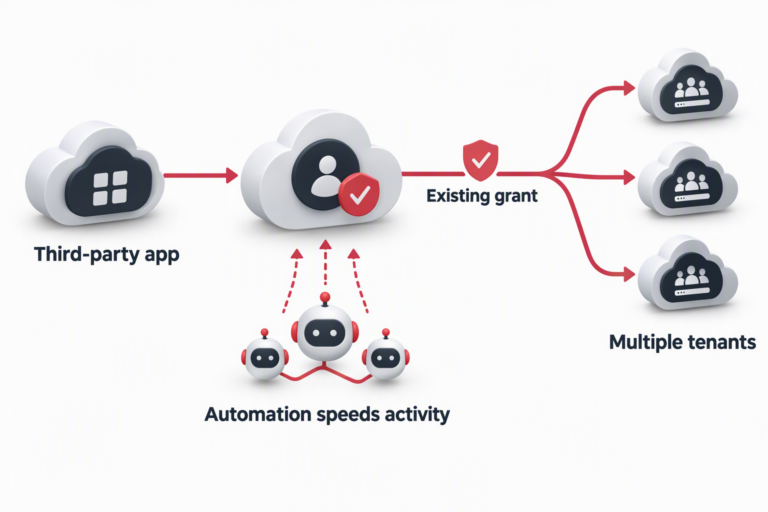
After gaining access, attackers may register a new authentication method, map users, groups, permissions and resources through Microsoft Graph, and collect data from SharePoint Online, OneDrive for Business and Exchange Online. Some of the activity is paced to resemble normal employee behavior rather than a burst of obvious automated theft.

The real risk begins after the account is compromised
The danger is not simply that an employee account has been taken over. The account can become an access point into the organization’s cloud control plane.
Attackers may use a compromised identity to:
- register a new MFA device or authenticator for persistent access;
- enumerate users, groups, applications and permissions through Microsoft Graph;
- locate high-value documents, mailboxes and shared sites;
- retrieve files and messages in controlled batches to avoid obvious spikes;
- use stolen information for extortion, further identity attacks or fraud.
MFA remains essential, but MFA alone does not complete the identity security job. Security teams should also monitor authentication-method changes, unusual device-code activity, programmatic Graph access and the relationship between sign-in events and data-access events.
AI-assisted executive impersonation is reaching payment workflows
Microsoft also described a separate email-fraud campaign in which attackers impersonated CEOs, presidents or CFOs and asked employees to process ACH payments approaching $50,000. The messages included fabricated executive-to-vendor email chains and detailed invoices.
The attackers did not need to compromise the executive’s account or the vendor’s environment. They used lookalike sender names, reply addresses, signatures, domains and convincing email history to create the appearance that the payment had already been approved.
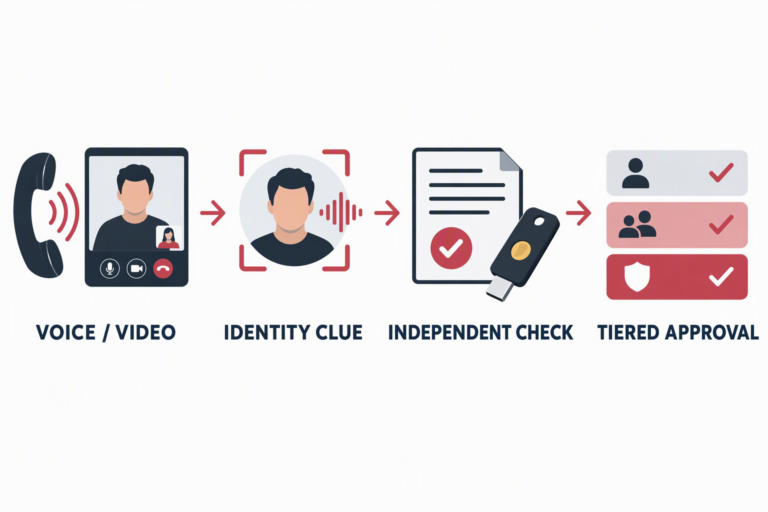
Some messages showed signs of generative-AI assistance, including repeated templates, fabricated invoice details and unusual HTML comments. A message that sounds like an executive is no longer enough evidence for a high-risk transaction. Payment requests need an independent verification step outside the email thread.
Checks for Microsoft 365 administrators
Strengthen the authentication path
Prioritize phishing-resistant authentication such as FIDO2 passkeys or Windows Hello for Business. Restrict device-code authentication where it is not required for normal business operations.
Limit access to managed devices
Use Conditional Access to restrict Exchange, SharePoint and high-privilege Microsoft Graph access to managed devices. Combine this with user-risk, sign-in-risk and location-based policies.
Monitor authentication and permission changes
Review new authenticators, passkeys and MFA devices added shortly after unusual sign-ins. Correlate changes to application permissions, mailbox rules, group membership and shared-resource access.
Move payment verification outside email
Require an independent confirmation for urgent payments, supplier-bank changes and high-value invoices. Use a known phone number, a trusted corporate directory or an internal approval system, not contact details supplied in the suspicious message.
Investigate programmatic data access
High-volume or scripted access to Microsoft Graph, SharePoint or OneDrive should be correlated with identity and authentication events. A single request may look normal; the sequence of authentication, permission change, enumeration and data collection may not.
Prepare for identity compromise
Incident procedures should cover session and refresh-token revocation, credential resets, removal of attacker-registered authentication methods, mailbox-rule review, application-consent review and permission cleanup. IT operations, security and finance teams should know who owns each step before an incident occurs.
Microsoft 365 security is a governance problem, not just a settings problem
These campaigns show why Microsoft 365 security should not be reduced to buying a security product or enabling MFA. Identity, devices, cloud data, email and payment approvals form one connected attack surface. A gap in any one of those controls can turn a social-engineering message into data theft or financial loss.
DELine helps organizations assess Microsoft 365 identity security, Conditional Access, phishing-resistant MFA, email protection, cloud data-access auditing and incident-response procedures. We can help connect technical controls with the business processes they are supposed to protect. Learn more at https://www.de-line.net/contact-us/.
Source: SC Media coverage of Microsoft’s security disclosures. Original article: https://www.scworld.com/news/microsoft-warns-of-cloud-storage-attacks-financial-fraud-scams-targeting-customers