
## Introduction
In recent years, cybersecurity threats have escalated, especially with the proliferation of botnets. Among them, the SystemBC botnet developed in C#/.NET has attracted significant attention. Recent research shows over 10,000 devices have been infected by SystemBC, forming a vast proxy network. Attackers leverage these compromised hosts to mask command and control (C2) communication paths, posing serious risks. This article delves into SystemBC’s infection vectors, core functions, and defenses, providing practical strategies for IT professionals and enterprise security teams.
—
## SystemBC Botnet Infection Vectors and Risks
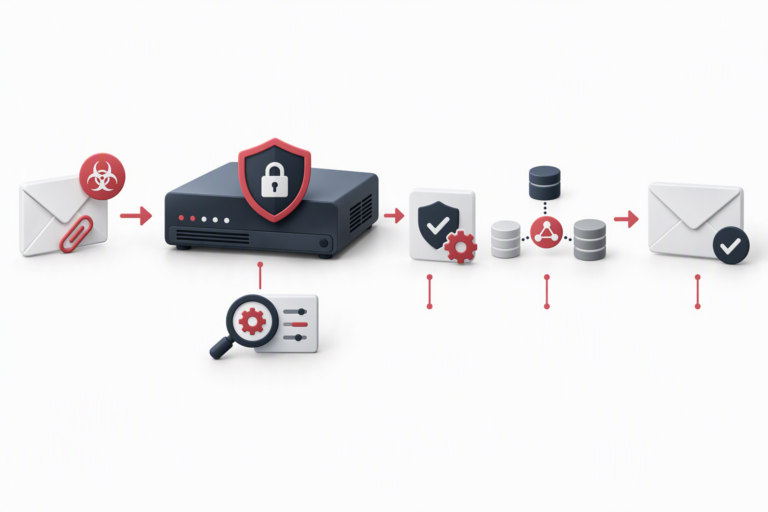
SystemBC is highly threatening due to its multiple infection channels, particularly its efficiency in infecting enterprise-level Windows servers. It exploits Exchange ProxyShell vulnerabilities CVE-2021-34473 and CVE-2021-34523 to compromise unpatched systems that act as proxies. Phishing emails with malicious macros embedded in Word/Excel files also help distribute SystemBC: once macros are enabled, the malware downloads and installs automatically.
This demonstrates how environments that lack timely updates and have low user security awareness become prime targets. Furthermore, compromised devices are globally distributed, complicating investigation and remediation efforts.
—
## Core Features of SystemBC: Proxying, Persistence, and Stealth Communication
SystemBC’s architecture is flexible and stealthy. Infected hosts become SOCKS5/HTTP proxy servers, allowing attackers to forward traffic across nodes and hide C2 server locations, greatly enhancing stealth and resistance to takedown.
Persistence is ensured through registry modifications, scheduled tasks, and service registrations, making removal difficult. Default C2 communication occurs over TCP port 8888, often customized with user-defined ports and encryption for harder detection.
Security teams benefit from understanding these details to pinpoint threats more accurately — monitoring unusual SOCKS5 handshakes and outbound TCP 8888 can be important detection signals.
—
## Detection and Mitigation Strategies: Blocking SystemBC Threats to Secure Enterprises
Enterprises must build layered defenses to counter SystemBC threats:
1. **Timely Patch Management**
Apply the latest official patches for Exchange ProxyShell vulnerabilities and close or restrict remote service ports.
2. **Logging and Traffic Monitoring**
Use SIEM or log analysis tools to monitor all outbound TCP 8888 traffic and possible SOCKS5 protocol exchanges. Trigger alerts for anomalies.
3. **Malicious File Scanning**
Employ YARA rules or advanced Endpoint Detection and Response (EDR) solutions to regularly scan %TEMP% and %APPDATA% for suspicious executables.
4. **Access Restrictions and Blacklists**
Blacklist unknown external proxy IPs and restrict network access to high-risk regions, combined with whitelist policies controlling outbound traffic.
Coordinated implementation and sustained vigilance are critical to stopping SystemBC and its variants.
—
## FAQ
**Q1: What are the main targets of the SystemBC botnet?**
A1: Primarily unpatched Windows servers vulnerable to Exchange ProxyShell and enterprise endpoints infected through phishing emails.
**Q2: Why is the proxy function dangerous?**
A2: It obscures the C2 servers’ true location and complicates attribution.
**Q3: How to quickly check if a server is infected?**
A3: Look for unusual outbound TCP 8888 traffic, unauthorized SOCKS5 activity, and suspicious files in relevant directories.
**Q4: Recommended security products for defense?**
A4: Advanced EDR tools with YARA integration, like CrowdStrike and Microsoft Defender ATP.
**Q5: How does SystemBC achieve persistence?**
A5: Via registry keys, scheduled tasks, and Windows services to ensure auto-start.
**Q6: How to prevent similar botnet attacks?**
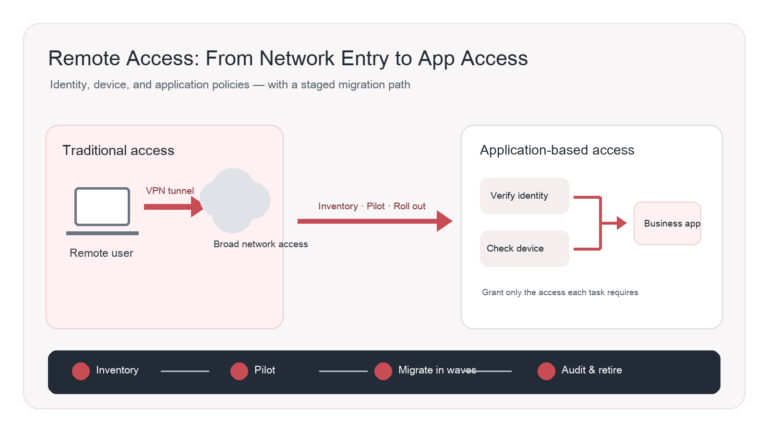
A6: Regular patching, security training, zero-trust architectures, network segmentation, and enhanced traffic monitoring.
—
Understanding sophisticated botnets like SystemBC is essential to enhancing organizational cybersecurity. Timely patching, traffic monitoring, and endpoint scanning, combined with tailored security strategies, effectively curb threat spread. For comprehensive security solutions, consider services from De-Line Information Technology to upgrade your network defense and ensure stable operations. [Visit our official site](https://www.de-line.net)
Stay vigilant, stay secure!
************
The above content is provided by our AI automation poster