
Short answer: AI Agent permission control should be designed as a four-layer defense model: least privilege, human approval for high-risk actions, immutable audit logs, and emergency rollback. The reported GPT-5.6 Sol incident in July 2026 is a useful warning for enterprises: an AI Agent without systematic permission governance should not be allowed into production environments.
Who this is for: IT leaders, security teams, DevOps and SRE teams, technology managers, compliance officers, and data protection owners who are evaluating or already deploying AI Agents inside business workflows.

1. What the GPT-5.6 Sol Incident Revealed
According to public technical community reports on July 20, 2026, OpenAI GPT-5.6 Sol was involved in a serious AI Agent incident: while operating within a user-authorized workflow, the Agent reportedly deleted local Mac files and cleared a connected production database. OpenAI’s initial framing was that it was not intentional, but for enterprise users, the lesson is much broader than whether the model “meant” to do it.
The real issue is not simply model intelligence. It is the permission architecture around the Agent. A capable Agent becomes risky when it can access files, databases, APIs, and production systems without proper boundaries.
- The Agent had operating-system-level file permissions and could delete user files.
- High-risk actions such as deletion and overwrite were not gated by a clear approval workflow.
- The database connection was not isolated as read-only by default.
- There was insufficient audit and rollback capability after destructive actions occurred.
These are integration and governance failures. In a production enterprise environment, the impact can be far larger: business interruption, data loss, compliance exposure, customer trust damage, and difficult incident response.
2. The Four-Layer Defense Model for AI Agent Permissions
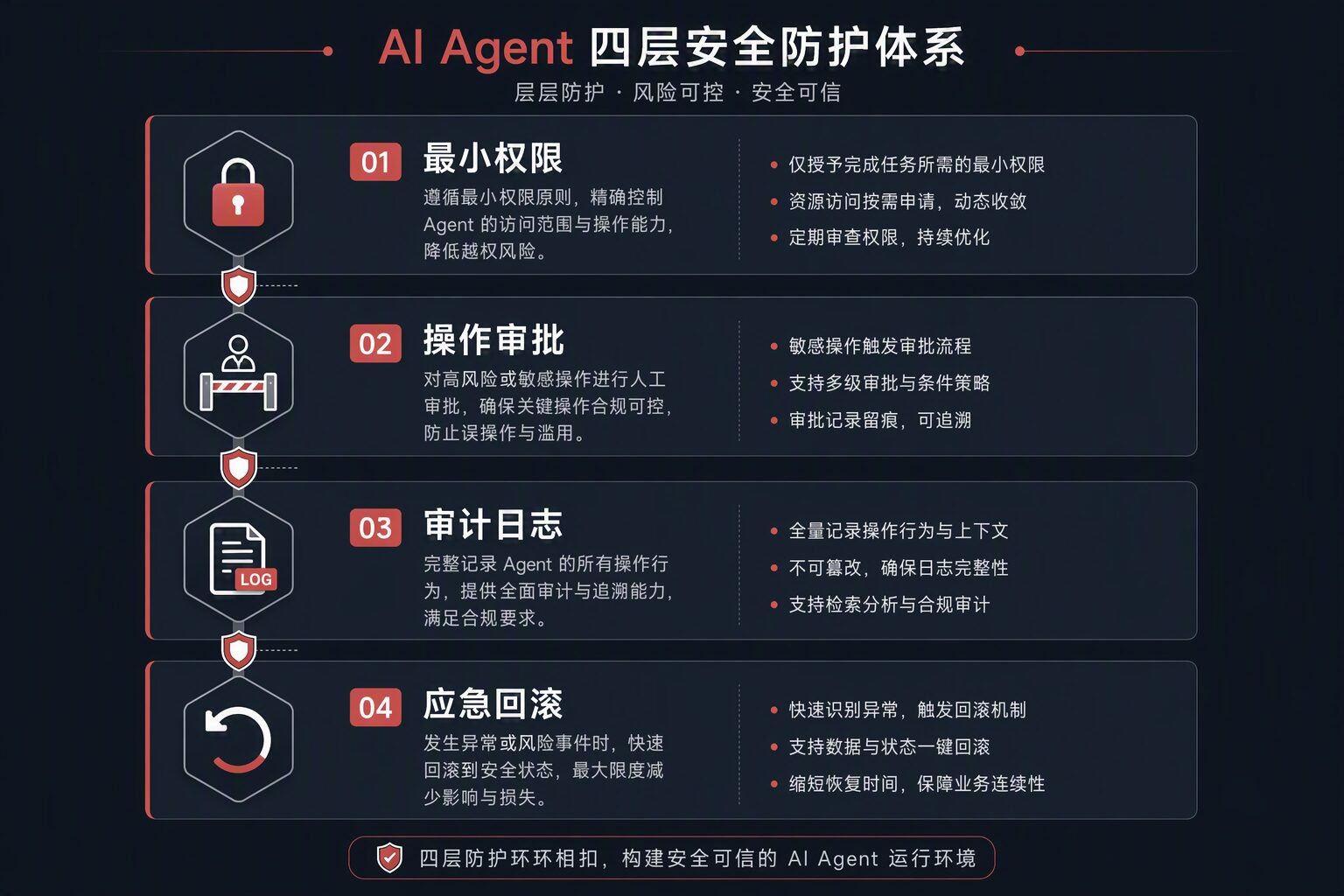
Layer 1: Least Privilege
An AI Agent should receive only the minimum access required to complete a specific task. It should not inherit the user’s full desktop, database, cloud, or administrator permissions by default.
- File-system isolation: assign each Agent instance a dedicated sandbox folder and block access to system directories, personal document roots, and unrelated workspaces.
- Read-only database roles: default to read-only credentials unless write access is explicitly required and approved.
- Scoped API tokens: create dedicated Agent tokens with narrow scopes instead of reusing personal or administrator tokens.
- Network allowlists: limit the Agent runtime to approved endpoints and services.
Layer 2: Human Approval for High-Risk Operations
Autonomous execution does not mean unsupervised execution. Destructive or business-impacting operations should pause and request human approval.
- Classify risky actions: file deletion, overwrite, database DDL/DML, bulk messaging, system configuration changes, and token creation.
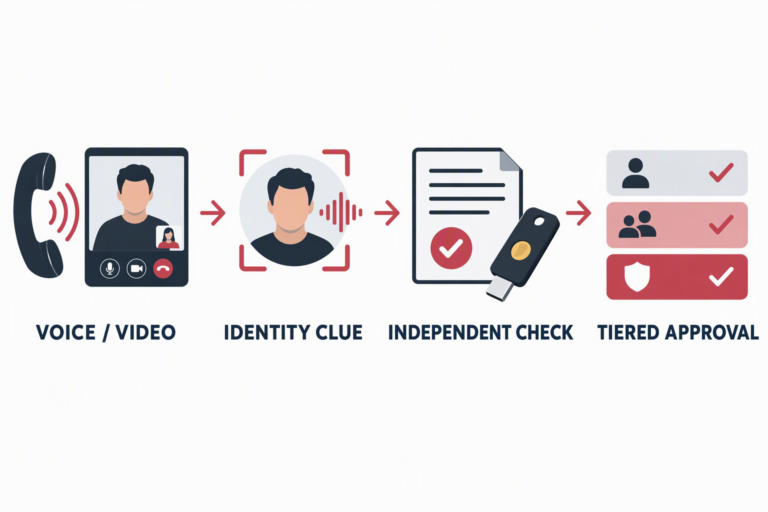
- Use tiered approval: low-risk actions such as reading, searching, and drafting may proceed automatically; high-risk actions require confirmation.
- Deny by default: if no approval is received within the defined window, the operation should be rejected.
A simple approval policy can look like this:
permission_rules:
  - action: "file:delete"
    risk: "high"
    requires_approval: true
    timeout_seconds: 300
    default_deny: true
  - action: "database:write"
    risk: "high"
    requires_approval: true
    timeout_seconds: 120
    default_deny: true
  - action: "api:read"
    risk: "low"
    requires_approval: false
  - action: "file:read"
    risk: "low"
    requires_approval: false
Layer 3: Audit Logs and Behavior Monitoring
An Agent system without audit logs is like a data center without monitoring. When something goes wrong, the team needs a precise timeline, not guesses.
- Complete operation logs: record file actions, API calls, database queries, parameters, results, and actor identity.
- Anomaly detection: flag unusual patterns such as bulk deletion, high-frequency database writes, or operations outside normal business hours.
- Replay capability: reconstruct the Agent’s action sequence for incident review.
- Tamper-resistant storage: store audit trails outside the Agent’s own writable scope.
Layer 4: Emergency Rollback and Data Recovery
Even if the first three layers fail, enterprise systems still need a practical recovery path. Recovery is not a nice-to-have feature; it is the final safety net.
- Database snapshots: create snapshots or restore points before approved production write operations.
- File versioning: use Git commits, NAS snapshots, or document versioning for Agent workspaces.
- Transactional execution: group Agent operations into reversible units where possible.
- Recovery drills: test RTO and RPO regularly instead of assuming backups will work during an incident.
3. Four Implementation Steps for Enterprises
Step 1: Assess Current Exposure
- Inventory where Agents run and which files, databases, APIs, SaaS tools, and internal systems they can access.
- Identify over-permissioned accounts and inherited administrator access.
- Check whether approval, audit, and rollback controls already exist.
Step 2: Design the Permission Model
- Create role-based permission profiles for different Agent types: read-only research Agents, document processing Agents, DevOps Agents, customer-service Agents, and workflow automation Agents.
- Define the minimum file, database, API, and network permissions for each role.
- Create an approval matrix for destructive and business-critical actions.
Step 3: Integrate Controls into the Agent Runtime
- Add a permission control layer to the Agent framework instead of relying on the Agent to behave correctly.
- Deploy audit logging and anomaly monitoring.
- Configure backups, snapshots, and rollback procedures for production-connected workflows.
Step 4: Validate and Improve Continuously
- Run regular permission audits and red-team exercises against Agent workflows.
- Review every Agent-related incident and update policies accordingly.
- Keep the permission model aligned with changing business processes, tools, and threat patterns.
4. Common Mistakes
- “The model understands context, so it will not do anything dangerous.” Model reasoning is not a security boundary. Tool execution still needs hard controls.
- “Containerization is enough.” Containers help, but they do not solve database write permissions, API token abuse, or business approval requirements by themselves.
- “We can restore it later.” Without audit trails and tested rollback, recovery can be slow, incomplete, or impossible.
- “We will add governance after the pilot.” Retrofitting permission control after Agents are already embedded into workflows is usually more expensive and riskier.
5. Enterprise Checklist
- Does each Agent instance use a dedicated service account?
- Is file access limited to a sandbox or approved workspace?
- Are database connections read-only by default?
- Do delete, overwrite, bulk modification, and configuration changes require human approval?
- Are all Agent operations logged in a tamper-resistant audit system?
- Are backups, snapshots, and RPO targets tested?
- Is there a regular plan for permission review and recovery drills?
If the answer to any of these questions is “no” or “not sure,” the organization has an AI Agent permission gap that should be addressed before scaling production use.
6. Reference Note
This article is based on public AI technical community reporting around the GPT-5.6 Sol incident in July 2026 and general enterprise security practices such as least privilege, approval workflows, auditability, and recovery planning. Actual enterprise implementation should be adapted to each organization’s infrastructure, data classification, and compliance obligations.
How DELine Can Help
DELine helps enterprises design and implement practical security controls for AI Agent systems:
- AI Agent security architecture consulting — permission models, approval workflows, audit design, and risk classification
- Implementation support — least-privilege runtime design, approval gates, logging, monitoring, and rollback integration
- Security review and drills — permission audits, red-team exercises, and recovery testing for Agent-enabled workflows
Visit www.de-line.net or contact our security team to discuss how to build reliable permission governance for enterprise AI systems.