Windows Zero-Day Vulnerability Protection: What a Bypassed Download Warning Means for Your Business
Windows often warns users when they open a file that came from the internet. That warning is not a security product on its own, but it gives people and applications an important signal: this file came from outside the device and may deserve extra scrutiny. A recently disclosed Windows Shell flaw, CVE-2026-96951, matters because it can undermine protections associated with that signal.
The practical takeaway is not that every connected computer is automatically compromised. Microsoft says an attacker must persuade a target to interact with a specially crafted file, for example by opening an attachment or following a link. But when a security warning or other source-based check can be bypassed, users have fewer chances to recognize a suspicious file. Organizations should verify that applicable Microsoft security updates are installed and keep sensible controls around files received by email, messaging apps and downloads.
What is Mark of the Web?
Mark of the Web (MOTW) is a source marker associated with files obtained from the internet. Windows and some applications can use it to apply additional handling, such as a warning, restrictions on certain content or Office Protected View. MOTW is not antivirus software, and its presence does not prove that a file is malicious. It is one input to a wider set of protections that helps distinguish an internet-origin file from one created locally.
Microsoft describes CVE-2026-96951 as a Windows Shell command-injection vulnerability that can bypass a security feature, including MOTW-related protections. The concern is that a specially crafted file may evade some of the checks or warnings users normally expect. That can make a malicious file look more ordinary and reduce the opportunity for a person to stop and question it. The vulnerability does not mean that every affected device has already been compromised; the outcome depends on the attack file, user action, system configuration and any follow-on payload.
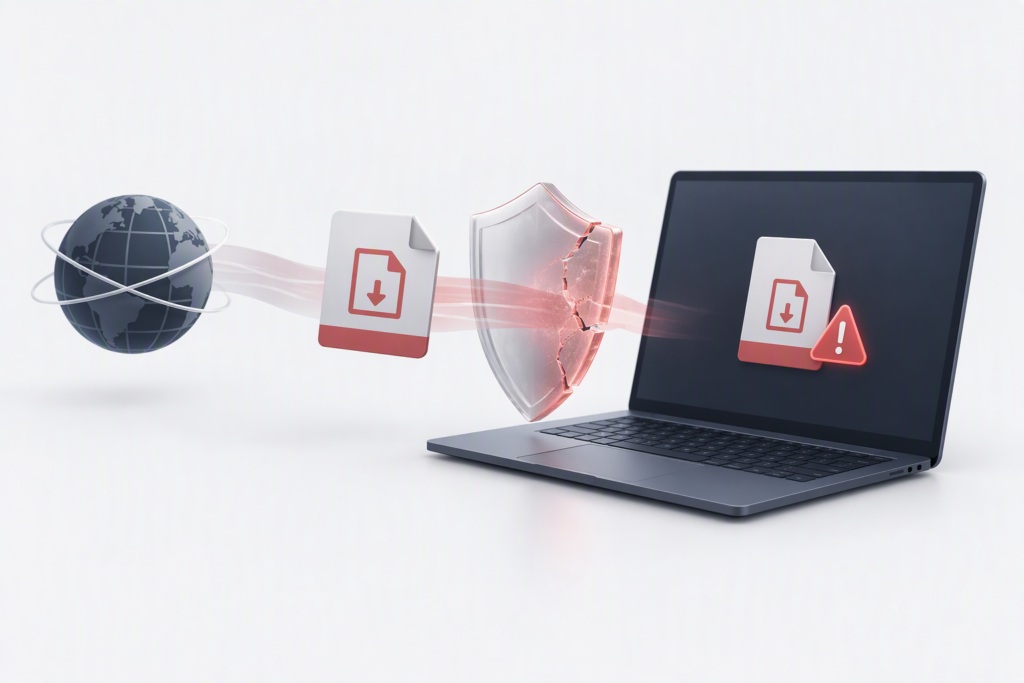
Microsoft says an attacker could deliver a specially crafted file through email or instant messaging and would need to persuade the user to take an action, such as opening an attachment or visiting a malicious link. Sending a file alone does not guarantee success. CISA has added CVE-2026-96951 to its Known Exploited Vulnerabilities (KEV) Catalog based on evidence of exploitation. That is a strong reason to prioritize remediation. CISA’s binding deadlines apply to the U.S. federal civilian agencies covered by its directives; other organizations should use KEV status as a risk-prioritization signal, not assume that the same deadline automatically applies to every company.
Why does bypassing a warning matter?
Many incidents take advantage of ordinary work: an employee receives a document, opens it, and the operating system launches the relevant handler. Source markers and warnings add a decision point before that happens. If an attacker can bypass part of this path, a user may have a harder time recognizing that a file came from an untrusted source, and security teams may lose one useful signal in their layered defenses.
This does not mean that every download executes automatically, or that SmartScreen, antivirus and every other protection have all stopped working. A more accurate explanation is that a specific vulnerability may weaken some checks associated with a file’s origin. Treat it as an endpoint risk that needs patching; do not rely on “employees should be careful” as a substitute for an update.
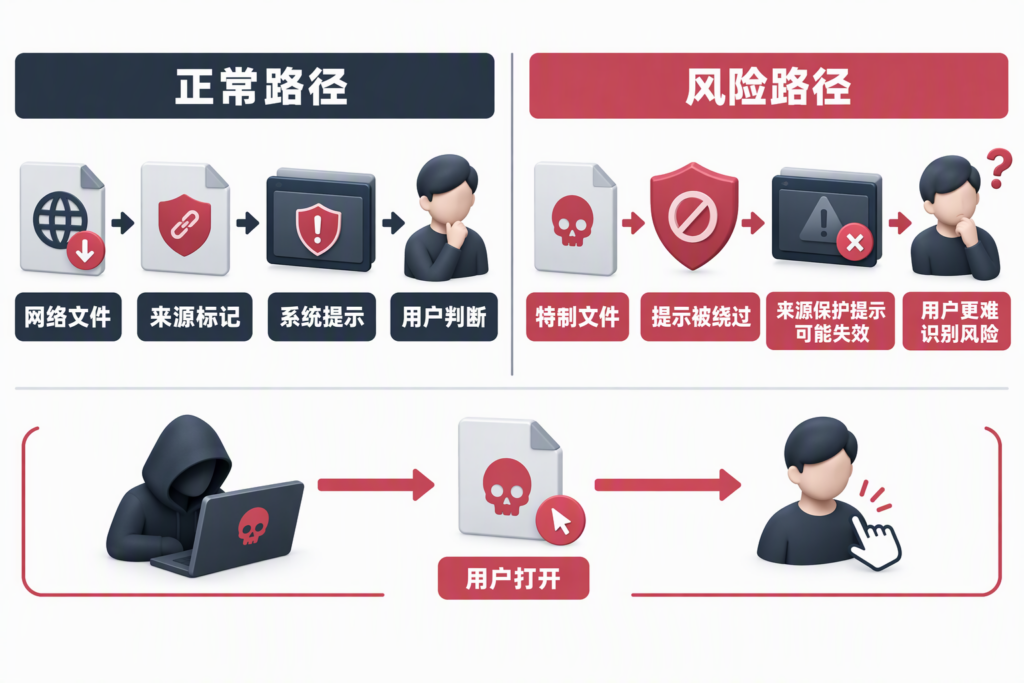
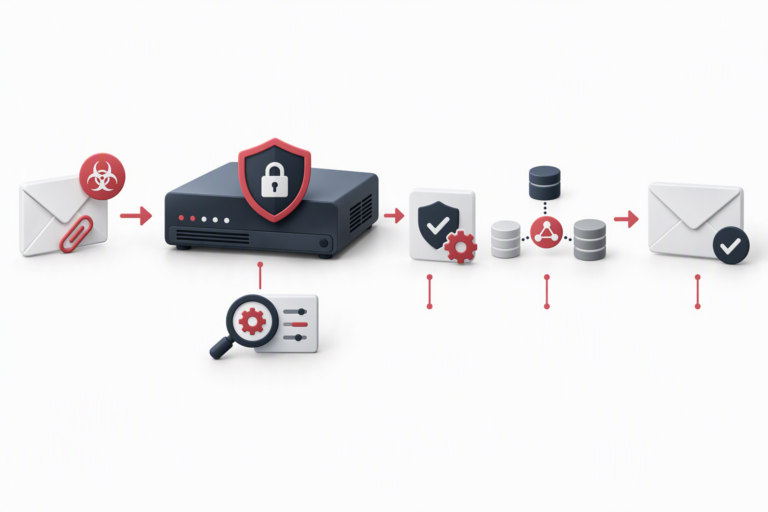
The accompanying process illustration has Chinese labels because it is reused from the original Chinese article; the English explanation here describes the same sequence: internet-origin file, source marker, system warning and user decision, versus a crafted file that may bypass a warning while still requiring the user to interact with it.
What should organizations and users do?
1. Prioritize the applicable Microsoft security update
Microsoft published remediation information in its October 2026 security updates. IT teams should inventory Windows endpoints and servers, record their versions and update state, and use Microsoft’s advisory to identify the update applicable to each system. Do not rely only on a policy saying that automatic updates are enabled. Confirm that the update was actually installed, whether a restart is required, and whether the device reached the fixed build after restarting.
If compatibility concerns or a maintenance window prevent immediate deployment, record the affected devices, owner, reason for delay and expected completion date. Prioritize devices that regularly handle email attachments, browse the web or are shared by multiple users. Long-offline, unmanaged or unsupported systems need a separate decision: bring them into management, isolate them, migrate their workload or replace them.
2. Maintain an inventory and verify deployment
Before rollout, record each device’s name, Windows version, business purpose and responsible owner. After deployment, check installation status through the organization’s endpoint-management system or the device itself. Include branch-office machines and remote laptops; “the head office is patched” does not prove that travel devices received the update. Track any required reboot and follow up on devices that remain incomplete.
3. Reduce exposure while a device cannot be patched
Use Microsoft’s advisory and the update guidance for the relevant Windows version as the primary sources. Do not disable Windows security features based on an unverified online post. While waiting for an update, tighten existing processes for receiving and opening untrusted files: remind employees not to open unexpected attachments or archives, route higher-risk files through established security checks, limit unnecessary software execution where appropriate, and keep the deferral period short. Validate any temporary mitigation against Microsoft’s guidance and the organization’s environment. A generic setting should not be presented as a complete substitute for the vendor’s patch.
4. Report suspicious files and behavior promptly
If an employee opened a file from a suspicious source, or notices an unexpected prompt, program launch or unusual account sign-in, they should contact IT or the security team promptly. Share the file’s source, the time it was opened and the device name. Follow the incident-response process to preserve relevant logs, decide whether to isolate the endpoint, check nearby devices and accounts, and reset credentials if needed. Do not repeatedly open the file or run a proof-of-concept script found online to “see what happens.”
5. Make patch management routine
A zero-day may be exploited before every organization has completed its normal update cycle. A dependable process should include an asset inventory, risk-based prioritization, pilot testing, phased deployment, failure follow-up and clear records. Give known-exploited vulnerabilities higher priority and retain evidence of the response. Employee awareness is valuable, but it complements endpoint protection, patching and incident response rather than replacing them.
Related Windows Shell flaws are a reminder to keep following updates
Windows Shell also had CVE-2026-21510 and CVE-2026-32202 in 2026. Akamai’s research discusses how an earlier fix blocked one attack path while a related handling path still required scrutiny. These are separate vulnerabilities from CVE-2026-96951; the relationship does not prove that they share the same root cause or attacker. The broader operational lesson is useful, however: after applying a patch, continue to monitor vendor advisories and verify the deployment instead of treating one completed update as a permanent guarantee of safety.
Frequently asked questions
Does an employee need to decide alone whether a computer is compromised?
No. Do not open a suspicious file; record where it came from and report it to IT. The responsible team should assess the device’s version, patch state and relevant logs. The absence of visible symptoms does not prove that a system is patched or uncompromised.
Can antivirus or SmartScreen replace the security update?
No. Reputation checks and endpoint protection are layers in a defense strategy, but when the vendor provides an applicable security update, install it according to the advisory. A single security feature is not a substitute for a vulnerability fix.
What should we check after installation?
Confirm that the update installed successfully, complete any required restart, and include remote and long-offline devices in the verification. Continue monitoring Microsoft advisories and endpoint alerts. If a suspicious file was opened before patching, follow the incident-response process; installing a patch does not by itself prove that no earlier compromise occurred.
Conclusion: make “patch promptly” mean every device
The point of CVE-2026-96951 is not simply to memorize a CVE number. It is to understand how weakening a download-origin safeguard can affect user judgment and endpoint risk. Identify which systems are affected and which remain unpatched, verify that the fix reached the actual devices, and set clear temporary controls and completion dates for systems that cannot be updated immediately.
DELine can help organizations review Windows endpoint and update-management practices and improve endpoint security, patch deployment and incident-response processes. Contact DELine to discuss your needs, or visit the DELine website to learn more.