When a router is installed in an office, it is no longer just a box that connects computers to the internet. It becomes a gateway between employees, servers, cameras, cloud services, and the outside world. Recent lawsuits brought by four U.S. states against networking vendor TP-Link have put a broader question back on the table: should an organization rely on a vendor’s security claims, or build controls it can verify and operate itself?
The case involves allegations about consumer protection, product security, and corporate and supply-chain relationships. Whatever the courts eventually decide, businesses can already use the news as a prompt to review how they manage network devices. Security does not come from a brand promise alone, nor is it decided only at the moment of purchase. Support status, firmware updates, exposed management interfaces, and network placement all affect whether a device becomes a weak point.
One distinction matters from the outset: the states have made allegations in civil lawsuits. As of this writing, those allegations have not been adjudicated as facts. The practical lesson for IT teams is not to assume that any disputed claim is proven, but to examine whether their own network-device controls are adequate.
What the four states allege
On October 6, 2026, the attorneys general of Florida, Iowa, Montana, and Nebraska filed separate lawsuits against TP-Link Systems. SC World reported that the states allege the company misled consumers about the security of its routers and its relationship with China. They seek remedies that include injunctions and civil penalties. Iowa’s attorney general also cited security vulnerabilities, routers used in attacks, and the continued use of devices that may no longer receive security support in the state’s public announcement.
This is not the first state-level case involving TP-Link. The Texas Attorney General filed a separate lawsuit in February 2026, raising claims related to product marketing, data, and supply-chain ties. The later lawsuits are not court findings, and the allegations in either case still need to be tested through legal proceedings.
TP-Link rejects the claims. In its October 6 statement, the company said that devices sold in the United States are manufactured in Vietnam, that TP-Link Systems is an independent U.S. company not owned or controlled by a foreign government, and that claims of unauthorized foreign-government access are baseless. It said it would contest the allegations in court. A careful account therefore needs to present both the states’ claims and the company’s denial.
The operational issue is the device lifecycle
The lawsuits focus on what the vendor allegedly represented. Security and IT teams have a more immediate question: what condition are the routers, gateways, and wireless access points in their own environments actually in?
Network equipment often stays in service for years. Staff change, offices move, and the asset list becomes incomplete. A management password may remain unchanged, firmware updates may have no assigned owner, or a device may have reached end of support without anyone noticing. Even a product from a well-regarded vendor can create exposure if it is never patched or if its administration interface is reachable from an untrusted network.
Routers, VPN gateways, wireless access points, and small firewalls sit at important network boundaries. They carry traffic between internal systems and the internet, and may connect workstations, file storage, cameras, and cloud services. An internet-facing management page, an unsupported device, or a guest Wi-Fi network that can reach internal systems can increase the impact of a compromise. Brand is only one input to a risk decision; the specific model, configuration, firmware, business purpose, network location, and support timeline matter too.
Five checks organizations can start now
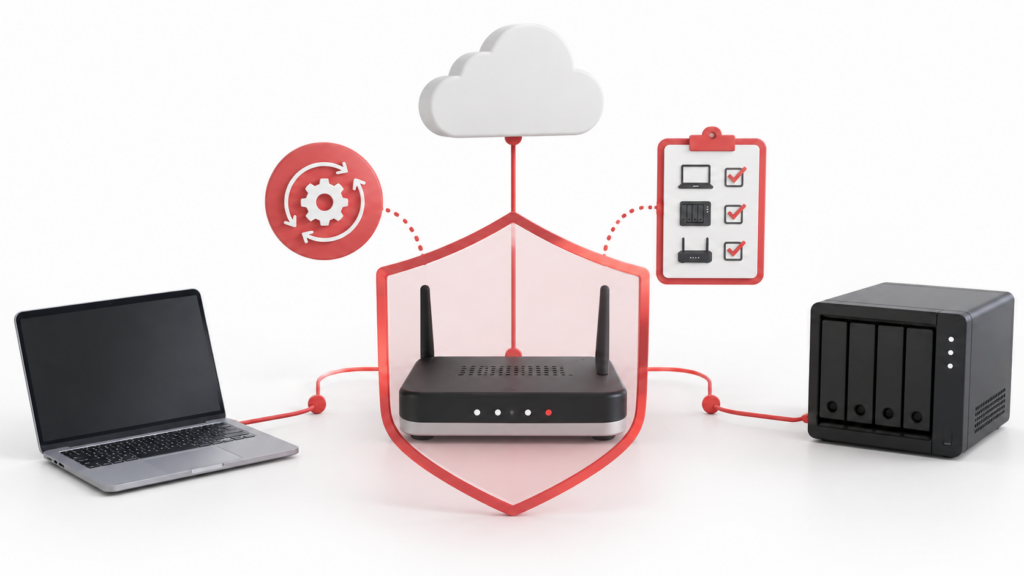
1. Build an operational inventory, not just a purchasing record. Record each device’s vendor, model, serial number, location, purpose, firmware version, owner, management address, and security-support end date. Include branch offices, small server rooms, remote locations, and legacy equipment. Without an inventory, teams cannot quickly tell whether an advisory applies or plan a timely upgrade or replacement.
2. Find out where device-management interfaces are reachable. Review remote management, web administration, SSH, and VPN management paths. Administration should not be broadly exposed to the internet or ordinary user networks. Restrict it to a controlled management network, trusted VPN, or dedicated administrator workstation, and disable services that are not needed. Replace default passwords and limit administrative accounts to people who actually manage the equipment.
3. Put updates and support status into routine operations. Assign an owner for each device class, monitor vendor security advisories, and apply validated firmware updates during planned maintenance windows. Before updating, confirm backups, compatibility, and a rollback path so that patching does not create avoidable downtime. For equipment that no longer receives security support, set a risk-acceptance deadline and replacement plan. The fact that a device still routes traffic does not mean that it is still secure.
4. Limit lateral movement if an edge device is compromised. Separate corporate workstations, guest Wi-Fi, cameras and other IoT devices, servers, and management systems according to business need. A device should not gain access to backups, identity systems, or administrative interfaces merely because it shares a network with them. If immediate replacement is not possible, restrict the legacy device’s reachable network segments and outbound traffic, and increase monitoring. These compensating controls do not fix a vulnerability, but they can limit its potential reach.
5. Ask for evidence during procurement. In addition to performance and price, understand how security updates are distributed, how vulnerabilities are reported, how long the product will be supported, how quickly the vendor responds to major issues, and what data the device collects and how that data is handled. Supply-chain review should not collapse into a country-of-origin label. It should produce verifiable requirements: who can ship updates, how updates are authenticated, who owns incident response, and how customers will be notified and protected.
Vendor responsibility and customer responsibility are not alternatives
Vendors are responsible for product quality, security support, and accurate representations. Organizations are responsible for managing the devices, configurations, and risks in their own environments. Both responsibilities matter. Courts can resolve the disputed claims; businesses can still check today whether their assets are inventoried, unnecessary internet-facing management has been disabled, and unsupported equipment has a replacement plan.
A practical review can start with three questions: What devices do we have, where are they, and who owns them? Which are unsupported, missing updates, or exposing management interfaces unnecessarily? If one edge device were compromised, which systems and data could it reach? Answering these questions regularly is more useful than relying on a general assurance from any vendor.
For organizations with limited IT capacity, it may not be realistic to independently analyze every vulnerability notice or supply-chain statement. A maintainable asset register, a defined update and replacement cycle, and a short boundary-access checklist are achievable starting points. When a high-risk device is found, restrict its management access and network reach first, then plan an upgrade or replacement rather than waiting for an alert to force a rushed response.
DELine helps organizations assess network devices and edge environments, including support status, exposed management paths, network segmentation, and update operations. We can turn findings into a prioritized remediation and implementation plan. If you are unsure whether the routers, gateways, or wireless devices in your offices are still supported and appropriately isolated, contact DELine to review your network perimeter.
Sources
- SC World: Four US states allege TP-Link defrauded customers, seek damages
- Iowa Attorney General: Lawsuit against TP-Link Systems
- Montana Department of Justice: Lawsuit against TP-Link
- Nebraska Attorney General: Lawsuit against TP-Link
- TP-Link: Statement in response to the attorneys general lawsuits
- Texas Attorney General: February 2026 lawsuit announcement