China’s MPS Order 176: Patch Exchange Server 2019 or Move to the Cloud?
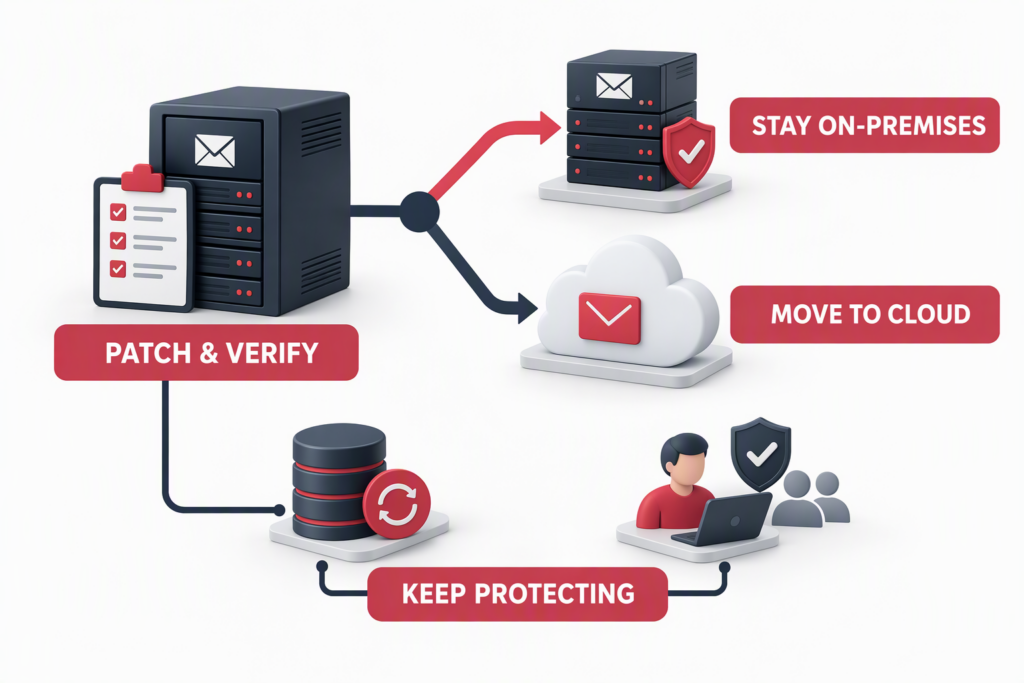
China’s Ministry of Public Security Order No. 176, the Measures for Public Security Organs to Supervise and Inspect Cyberspace Security, took effect on October 1, 2026. IT teams at some foreign-invested companies in China have reported receiving calls from public security authorities explicitly asking them to install security patches on Exchange servers and remediate vulnerabilities. For organizations still running Exchange Server 2019, the practical question is not simply whether to patch. It is also how far the current licensing path allows them to update, and what should come next: keep mail on premises, move to a supported on-premises release, or migrate to cloud email?
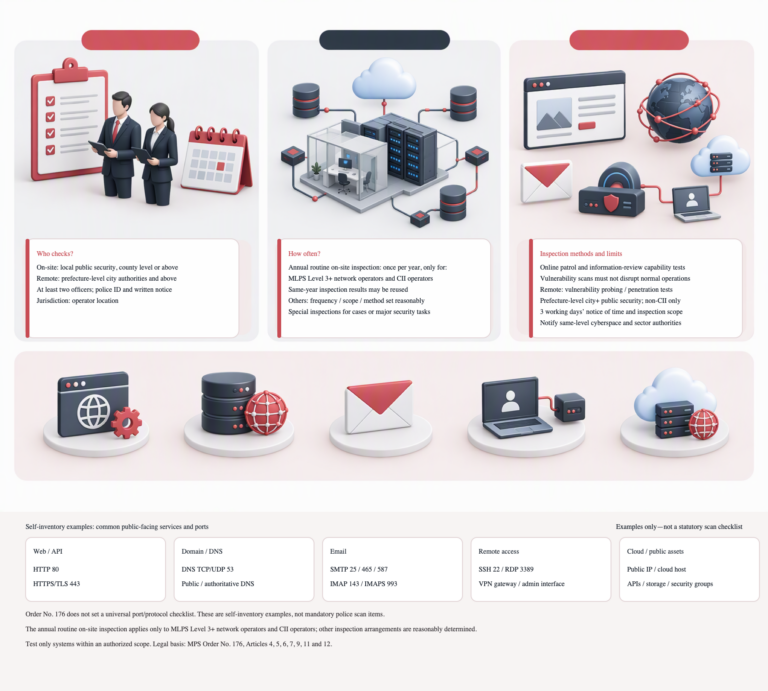
Keep two things distinct. A specific call may require patching and remediation for a particular server. Separately, Article 7(7) of Order 176 lists whether an organization has taken measures to remediate cybersecurity vulnerabilities and risks among the matters subject to inspection. The regulation does not name Exchange or prescribe one migration route for every organization. Confirm the systems in scope, the vulnerability, the required remediation deadline and the applicable update before making a change. Record the change, evidence and retest.
What Order 176 covers—and what it does not
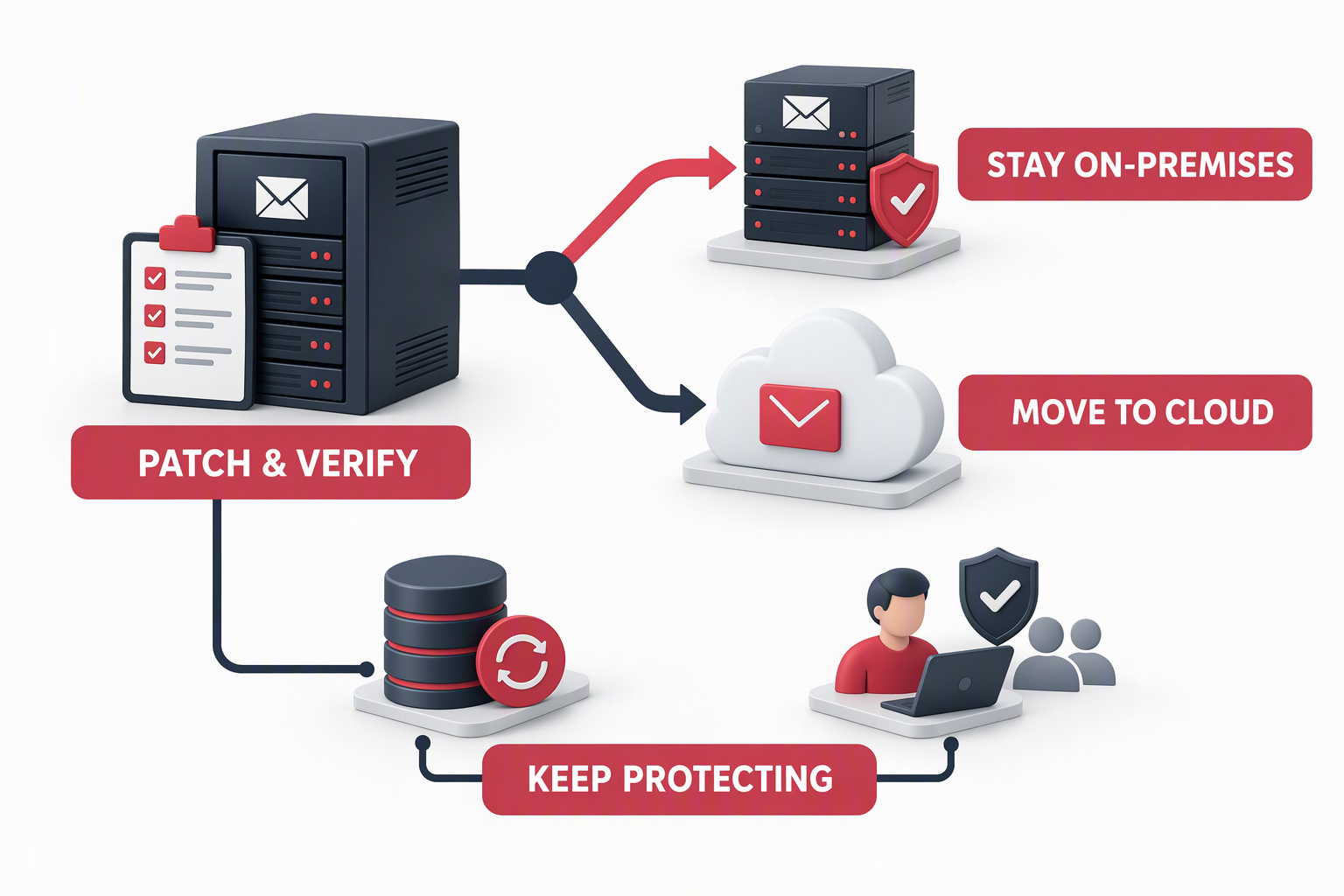
Article 4 provides for online inspection methods such as vulnerability scanning that do not affect normal business operations. For remote vulnerability probing or penetration testing of network facilities and information systems outside critical information infrastructure, it specifies the eligible authority, advance notice of at least three working days, the time and scope of the inspection, and a requirement not to interfere with or disrupt normal operation. The same article provides for follow-up verification of risks found online or through remote testing, with an on-site check where necessary.
Article 7 includes implementation of cybersecurity, data-security and information-security obligations. In particular, paragraph 7 asks whether an organization has taken measures to remediate cybersecurity vulnerabilities and risks. Article 14 says public security organs must not require inspected organizations to buy or use designated products or services.
For an Exchange environment, that makes the immediate work practical: identify the affected server and build, determine which applicable security update is available under the organization’s licensing rights, install and verify the patch, and retain the change and retest evidence. If an authority has contacted the organization, confirm the caller, scope, finding and deadline through the appropriate formal channel. The remediation cycle shown below is an enterprise practice recommendation; it is not presented as verbatim language from Article 4.
Exchange 2019: CU15 does not mean the product is still in support
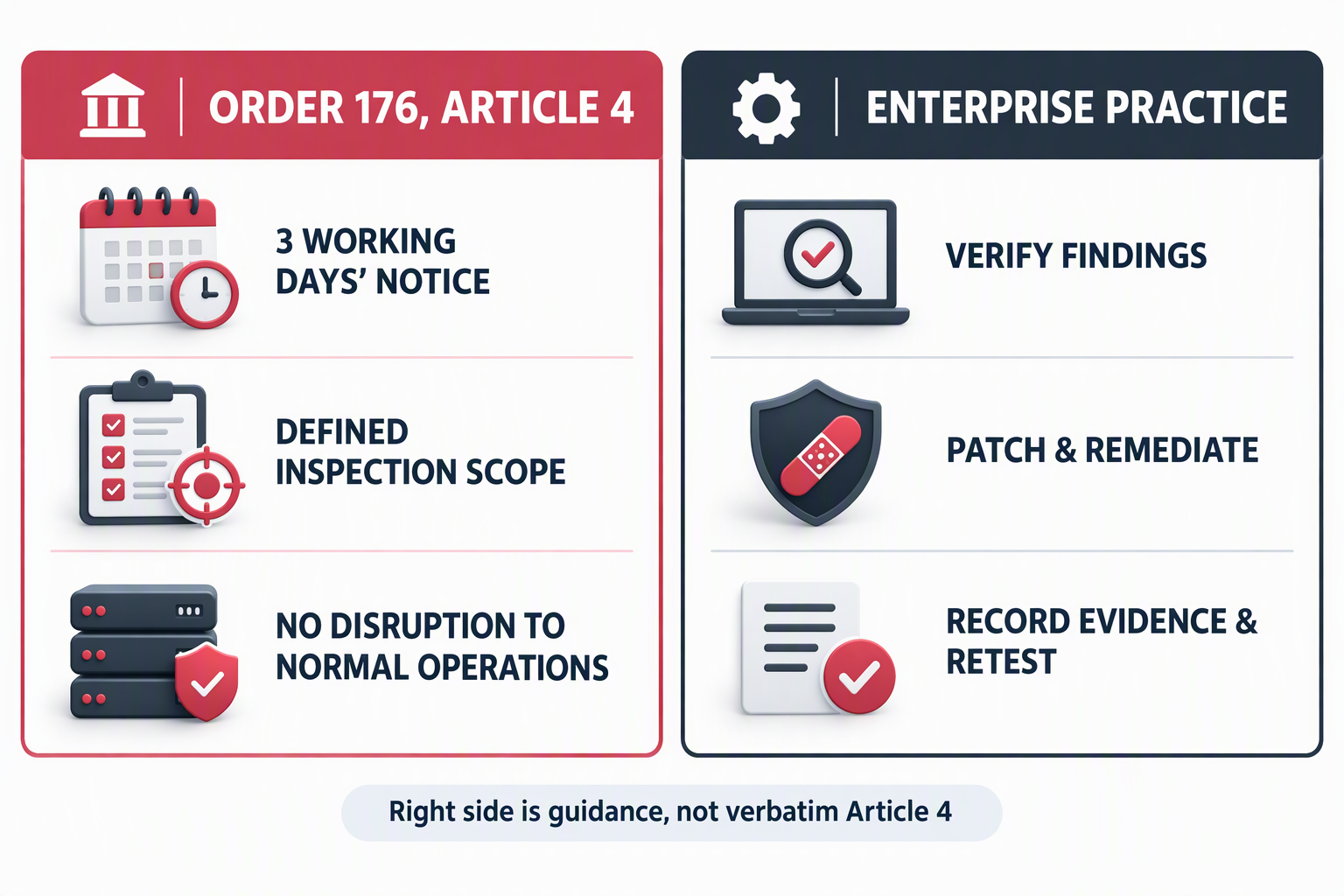
Microsoft lists Exchange Server 2019 as out of support. Its public build table shows CU15 updates released after Feb26SU. However, Microsoft states that post-support Exchange 2019 security updates are available to customers enrolled in the Exchange Server 2019 Extended Security Update (ESU) program. Organizations that are not enrolled are directed to migrate to Exchange Server Subscription Edition (SE) to continue receiving security updates.
A build appearing in Microsoft’s public table does not mean that every organization, region or licensing channel can obtain the corresponding entitlement and update. For organizations in China that cannot purchase or enroll in Exchange 2019 ESU, the currently executable update path under their existing Exchange 2019 licensing is bounded at Exchange Server 2019 CU15 Feb26SU. Later CU15 updates are on the ESU path and should not be treated as ordinary updates available to every customer. Confirm eligibility and update access with the organization’s Microsoft licensing partner against its agreement and local procurement channel.
Patching to the last update available under the current entitlement addresses the immediate remediation request, but it does not restore Exchange 2019 to supported status or eliminate lifecycle risk. The longer-term options are migration to Exchange Server SE or assessment of Exchange Online. In mainland China, Exchange Online is offered through Microsoft 365 operated by 21Vianet. Verify the specific service scope, mailbox features, archiving, data location, contract, support model and compliance needs; the China-operated service should not be assumed to be identical to Microsoft-operated global services.
Three-year cost comparison: use one user count and one scope
For a like-for-like baseline, use 300 mailbox users over three years. The on-premises licensing baseline comprises two Exchange Server Standard server licenses and 300 Exchange Standard User CALs. Normalize that three-year on-premises license spend to an index of 100. For cloud, use the Exchange Online Plan 1 price published on Microsoft’s China website for the 21Vianet-operated service, multiplied by 300 users and 36 months, then normalize it against the on-premises license baseline. On this basis, the cloud mailbox-subscription baseline is approximately 57, or about six-tenths of the on-premises license index.
The bar chart compares those two license/subscription baselines only. It is not a complete total cost of ownership (TCO), a formal quote or a guarantee of savings.
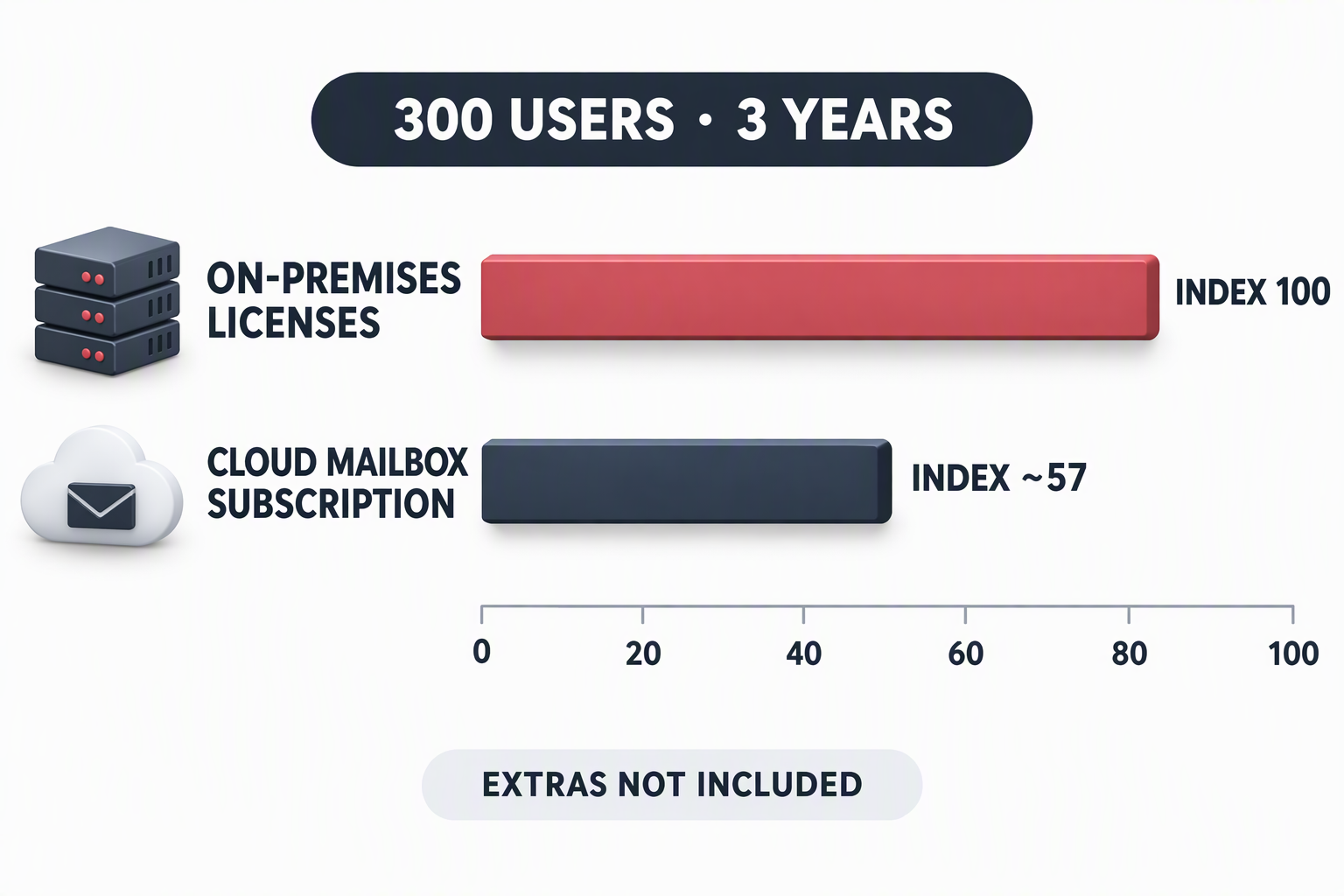
The comparison leaves important costs outside both bars. On premises, check whether server and storage refreshes are needed, as well as Windows Server and other dependent licensing, backup and disaster recovery, data-center costs, monitoring, patching and operating staff. In the cloud, include migration, archive and retention needs, independent backup, email security, identity protection, network connectivity and support. A higher service tier may be needed to meet mailbox capacity, retention or security requirements. The cloud subscription index must not be read as showing that cloud TCO is 43% lower.
| Route | Three-year baseline | Additional costs and constraints to validate |
|---|---|---|
| Keep mail on premises and patch | 300 users; two Exchange Server Standard server licenses and 300 Exchange Standard User CALs; license index 100 | Server/storage refresh, Windows licensing, backup, disaster recovery, operations, and the long-term path beyond Exchange 2019 support |
| Migrate to Exchange Server SE | Plan licensing/subscription for 300 users, server and operating-system capacity, parallel migration and ongoing maintenance | Licensing terms, hardware compatibility, migration sequence, backup and operating costs |
| Migrate to Exchange Online Plan 1 operated by 21Vianet | Base mailbox subscription for 300 users over 36 months; index approximately 57 against the on-premises license baseline | Migration, archiving/retention, independent backup, email security, network connectivity, support and service-feature differences |
Do not compare a server-license total with a cloud monthly rate and call the result TCO. Compare the same number of users, retention and recovery targets, security capabilities, migration scope and three-year operating costs. Before requesting comparable quotes, inventory mailbox sizes, archives, shared mailboxes, application relays, room resources, mail-flow rules, compliance retention and recovery requirements.
Patching Exchange does not eliminate every ransomware entry point
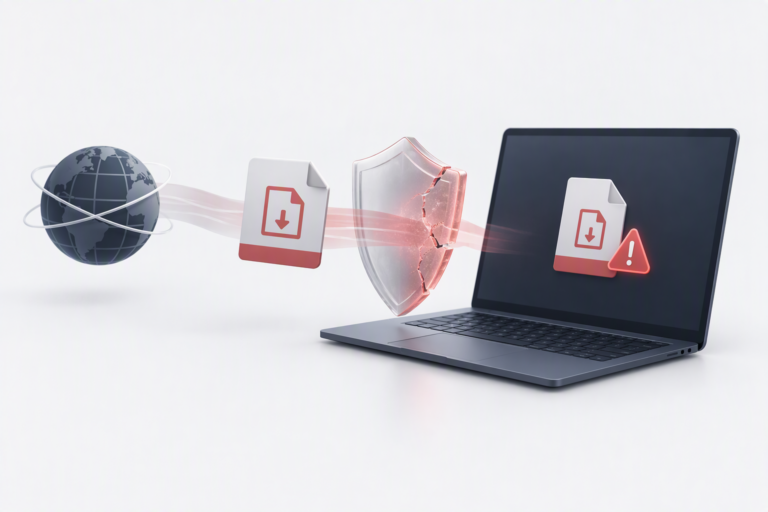
Security updates reduce exposure to known vulnerabilities; they cannot guarantee that ransomware will be prevented. An attack may begin with a phishing email or malicious attachment, a link shared through an instant-messaging group, a stolen account, remote access, a supplier compromise, excessive privileges or an unknown USB drive. Treating the problem as one employee clicking once is too narrow. Technical controls should limit the impact of mistakes, and people need practical ways to recognize, report and respond to suspicious activity.
A sustained program should include:
- Multi-factor authentication for email and identities, least-privilege administration, and prompt removal of departed or temporary accounts.
- Anti-phishing and malicious-attachment controls, endpoint protection and alerts for suspicious sign-ins.
- Appropriate controls for USB storage, macros, scripts and software installation, with documented business exceptions.
- Isolated or immutable backups and recurring restore tests—not just confirmation that a backup job completed.
- Short, role-relevant training and exercises covering email, WeChat or other messaging, QR codes, file sharing and USB devices.
- A clear incident-reporting route so a person who clicked a suspicious link can report it immediately without fear of blame delaying containment.
Training is not a one-off presentation or a substitute for technical safeguards. It should reinforce identity protection, email security, endpoint controls, backup recovery and incident response, and improve through repeated exercises and review.
A practical decision sequence for IT leaders
First, verify the Exchange build and installed CU/SU, server operating system, internet exposure and actual licensing eligibility. Do not rely on the CU number alone; confirm the installed security update. Second, respond to the specific patch request and retain the responsible owner, deadline, interim mitigation, change record, remediation evidence and retest result. Third, compare Exchange Server SE with the 21Vianet-operated Exchange Online service against the organization’s operational and data requirements, using the same three-year cost scope. Finally, budget for email security, identity governance, backup recovery and recurring workforce training alongside the server work.
The point of Order 176 is not to choose a particular product. Organizations need to identify risks, take appropriate remediation measures and be able to show how those measures were verified. DELine can help inventory Exchange and related network assets, validate update and licensing paths, plan an on-premises transition or cloud migration, and include email protection, backup recovery, endpoint controls and workforce training in a broader security-improvement plan. Learn more at DELine or contact us.
References
- Measures for Public Security Organs to Supervise and Inspect Cyberspace Security (MPS Order No. 176)
- Exchange Server build numbers and release dates (Microsoft Learn)
- Security update for Exchange Server 2019 CU15, February 10, 2026 (KB5074993) (Microsoft Support)
- What’s new in Exchange Server Subscription Edition (Microsoft Learn)
- Exchange Online operated by 21Vianet (Microsoft Learn)
- Exchange Online Plan 1 pricing and product details for China (Microsoft)