Cisco Confirms Active Exploitation of Critical Secure Email Gateway Flaw
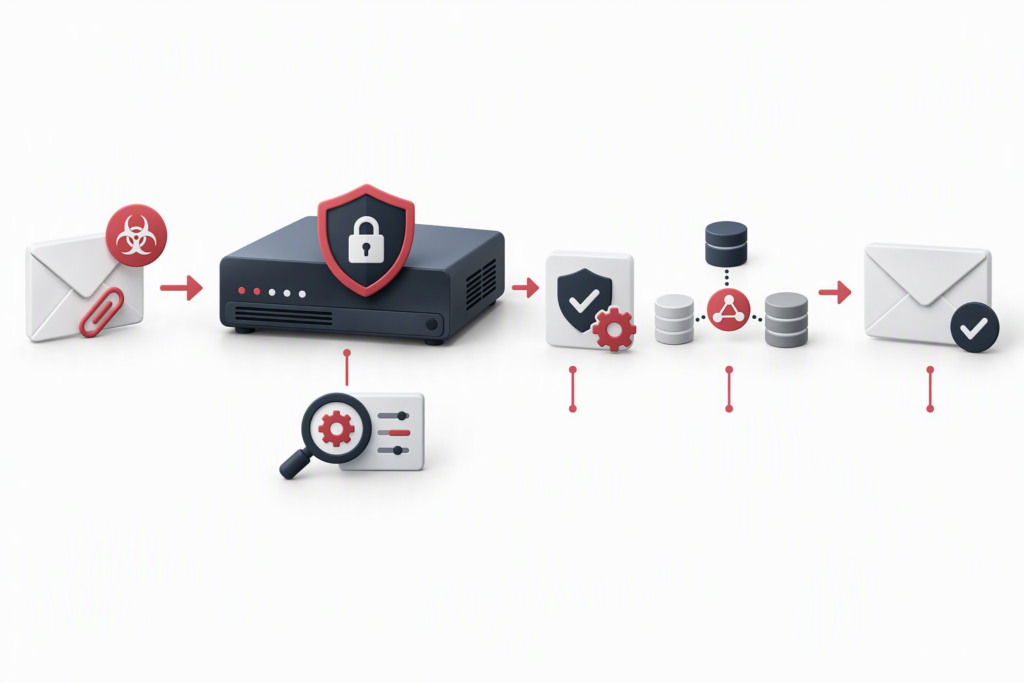
Cisco confirmed on October 14, 2026, that attackers are exploiting CVE-2026-76519 in Cisco Secure Email Gateway (SEG). Cisco rates the vulnerability 9.8 under CVSS 3.1. It affects attachment handling in the appliance’s Advanced Malware Protection (AMP) feature. An unauthenticated remote attacker may send a crafted attachment through a vulnerable gateway, write arbitrary files to the underlying operating system, and execute commands with root privileges.
The advisory does not mean every Cisco email gateway is vulnerable, nor does installing a fix prove that a device was never compromised. Administrators should check the relevant policy and component versions first. If exploitation is suspected, they should investigate network and firewall telemetry collected outside the appliance and preserve evidence before rebuilding or upgrading a potentially compromised system.
Why a compromised mail gateway deserves special attention
An email security gateway sits on a trusted path for message delivery and attachment inspection. If an attacker obtains root access, the potential exposure may extend beyond the appliance: messages could be observed or interfered with, and the device’s trusted relationships could become a route for further activity. These are risk implications of the device’s role and the privilege level described by Cisco, not a claim that Cisco confirmed each outcome in every affected environment.
Cisco identifies the weakness as CWE-23, a relative path traversal. According to the advisory, the affected configuration requires all of the following:
- A physical or virtual Cisco Secure Email Gateway running an affected AsyncOS release.
- AMP File Reputation enabled and assigned to a mail policy.
- Content Scanner Tools earlier than version 25.3.0.5525.
Cisco says Secure Email and Web Manager and Secure Web Appliance are not affected. Customers using Cisco Secure Email Cloud Gateway do not need to take action themselves; Cisco says the fixed Content Scanner Tools version has been deployed through its standard upgrade process for that environment.
Check both policy settings and scanner version
In the management interface, review Mail Policies > Incoming Mail Policies > Advanced Malware Protection or Mail Policies > Outgoing Mail Policies > Advanced Malware Protection. Check whether Enable File Reputation is selected for the relevant policy. Then run contentscannerstatus at the command line to identify the installed Content Scanner Tools version.
Cisco lists these fixed software releases:
| AsyncOS branch | Cisco’s stated action |
|---|---|
| 15.5 | Upgrade to 15.5.5-014 |
| 16.0 | Migrate to a fixed release |
| 16.5 | Upgrade to 16.5.0-780 |
Content Scanner Tools 25.3.0.5525 or later also contains the fix for licensed, supported AsyncOS releases. Updating this component does not require a full software upgrade or appliance restart. If automatic updates are disabled, administrators can run contentscannerupdate, then verify the installed version with contentscannerstatus. Cisco says there is no workaround that resolves the vulnerability; perimeter controls or a temporary process change should not be treated as remediation.
A patch does not establish whether an intrusion already happened
Cisco recommends reviewing system security logs with:
grep "System Security" system_logsIf the appliance is part of a cluster, check every member. Cisco distinguishes among a suspected compromise indicator, an incomplete security scan, and no compromise indicator. For the first two outcomes, follow the advisory and contact Cisco Technical Assistance Center (TAC) as appropriate.
A clean local result is not conclusive. An attacker with root privileges may remove or hide traces on the appliance. Correlate the result with firewall, network, identity, and email telemetry retained independently. Look for unexpected outbound transfers initiated by the gateway, downloads from malicious addresses, and management or cluster communications that depart from the normal baseline. Keep log copies outside the gateway’s administrative control so a compromised device cannot alter the only evidence available.
For a physical appliance suspected of exploitation, Cisco recommends contacting TAC. For a potentially compromised virtual appliance, preserve forensic information under the organization’s incident-handling procedures before upgrading or rebuilding: those actions may destroy logs and evidence. Cisco’s guidance then calls for deploying a new virtual machine with a fixed release, rebuilding its configuration without importing old configuration files, and renewing credentials and cryptographic material installed on the appliance. Tailor the response to the evidence, continuity requirements, and vendor guidance.
A practical response sequence for security and IT teams
- Scope the assets. Inventory physical and virtual SEG appliances, AsyncOS branches, File Reputation policy settings, and Content Scanner Tools versions. Record results for every appliance, including cluster members.
- Apply the vendor fix promptly. Within change-control and compatibility constraints, move to the applicable fixed release or update Content Scanner Tools on a supported release. Do not rely only on an old ticket label or a single CVE lookup.
- Investigate in parallel. Preserve appliance logs and correlate them with external firewall, network, identity, and email records. Maintain a timeline and evidence for anomalous activity.
- Restore trust based on evidence. If compromise is suspected or confirmed, preserve evidence first; then rebuild or recover under vendor and organizational guidance, and rotate relevant credentials, keys, and cluster trust material.
- Close the management gap. Review how patch records, CVE changes, and component updates are connected. Ensure the team can trace each asset through exposure checks, remediation, log retention, and incident handling.
This incident is a reminder that vulnerability management cannot rely on a CVE number alone. A fix may first arrive through a software release or component update, while the vulnerability identifier or confirmation of active exploitation appears later. For trusted infrastructure such as an email gateway, configuration review, timely remediation, independent logging, and incident response must work as one cycle. A patch reduces future exposure; it does not automatically remove an attacker who may already be present.
Sources
- Cisco, Cisco Secure Email Gateway Arbitrary File Write Vulnerability (CVE-2026-76519), October 14, 2026.
- NIST National Vulnerability Database, CVE-2026-76519. NVD lists the vulnerability in CISA’s Known Exploited Vulnerabilities (KEV) catalog; the catalog entry is dated October 14, 2026.
- SC Media, Cisco warns critical Secure Email Gateway bug exploited in the wild, October 15, 2026. This article independently reorganizes and rewrites the reporting; Cisco’s advisory and NVD are the primary references for technical facts.
Strengthen email security resilience with DELine
DELine helps organizations review asset, patch, and logging governance for email security gateways and other critical infrastructure, assess incident response and recovery processes, and plan ongoing IT operations support around the existing environment. Visit DELine or contact us to discuss enterprise security and IT services.